


RSS reader apps are great in the sense that they allow you to follow your favourite writers, influencers, channels, and publications like a shadow. In the true spirit of getting trending news as it breaks on top sources, nothing beats RSS.
RSS feed readers eliminate the need for visiting multiple websites to check for the latest news or publications. Instead, you can add the RSS feed URL to your reader and it should notify you whenever a specific source has posted an image, article, or video.
Google Reader was launched in 2005 and was one of the very first RSS readers to provide people with the facility of following their favourite sources on the web. It had a loyal userbase at first was subsequently sacked because of declining users.
Then came Digg Reader which was launched as an alternative for Google Reader. It too shut down shop in March 2018.
By now people were used to the idea of RSS feed readers but did not have any reliable solution to bank on. But before we unravel the list of best RSS feed readers, first we have to understand what makes a great RSS feed Reader.
Traits of a great RSS feed Reder App
Apart from the usual attributes that construct a great app such as UI, UX, accessibility, etc. there are some essential traits each RSS feed reader must have to make it stand out.
Purpose
There are two primary functions of an RSS feed reader app. Firstly, it displays content in reverse chronological order. Secondly, it allows you to curate content from the feed to be shared with your audience. This gives instant access and distribution power to its users.
Show Complete Article
In some apps what usually happens is that it shows you part of the article to incite curiosity and then use an opt-in for viewing the whole article or upgrade to a premium plan. On the other hand, the app itself may be designed to riffle through the headlines.
In any great RSS feed reader app, there should be an option to view the full article.
User Experience
All great apps pay special attention to offering a great user experience such as a clean design and an easy to use interface. For an RSS feed reader, the most important features are the most basic ones such as organizing your feed categories, saving articles, and appropriately tagging them.
Based on the above criteria, here is a list of top 15 RSS Feed Reader apps to help you monitor your favourite sites.
1. ContentStudio
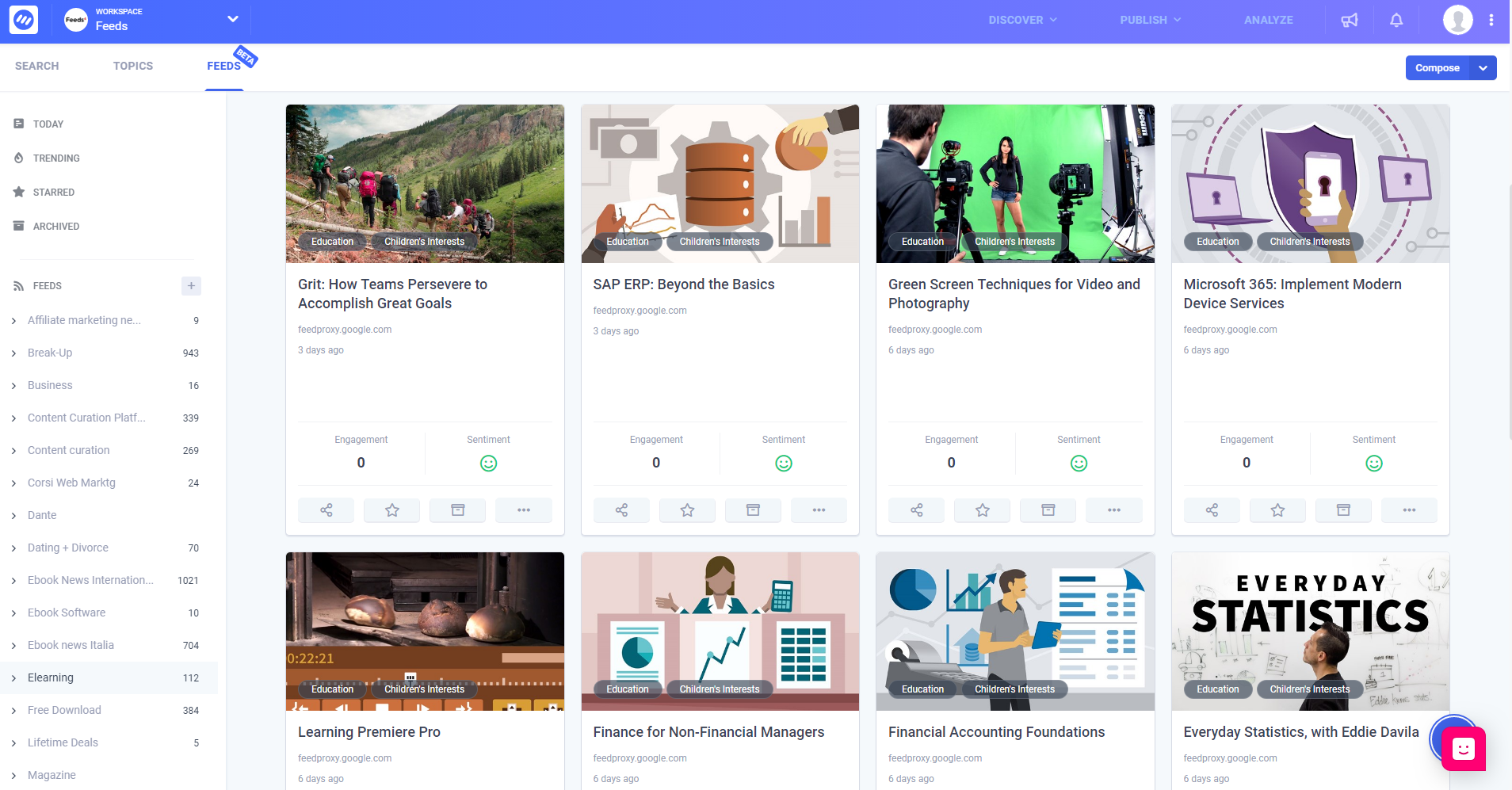
Contentstudio’s RSS feed reader feature is a powerful tool for search, follow, and monitor your favourite content sources online. It has a clean and elegant design to keep things as simple as possible.
In the main dashboard, you are able to see posts in reverse chronological order. The posts are shown as cover stories with a headline and image so you instantly get a gist of what the news or article is about. The feeds are currently being crawled every 20 minutes but in the future, you will be to set custom time to check feeds update.
Cover stories show you the most trending posts from every topic for that very day. You then have the option to tag them accordingly. This would the most recent events, news, or updated in your topics of interest.
The thing that sets ContentStudio’s feed reader apart for any other RSS feed reader is its ability to curate the content from the feed and share it across social media channels. Since it itself is a social media management platform among other social media management tools, you do not need third-party integration to complete the sharing process. Simply click the share button and the content will be shared with your target audience.
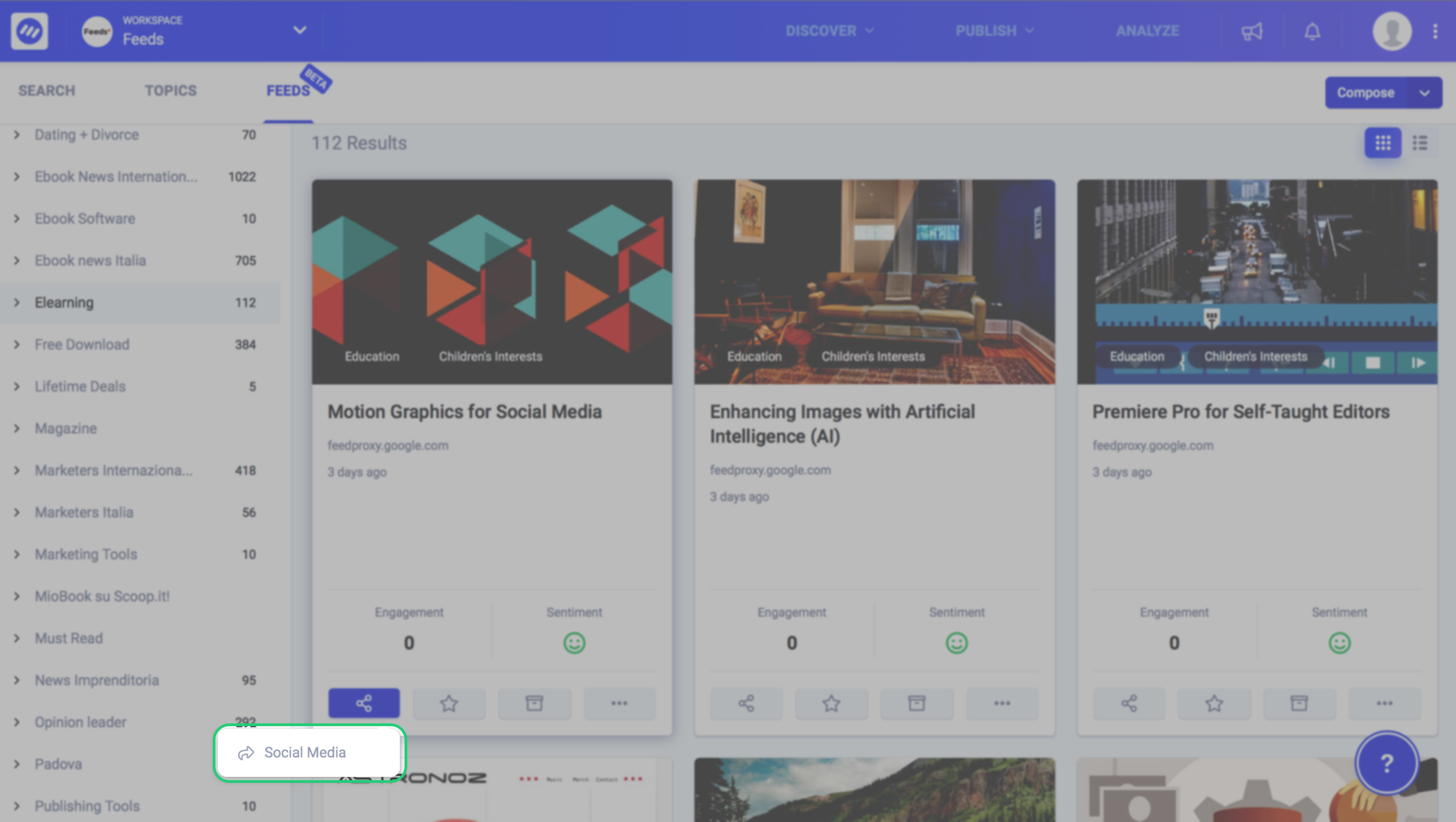
Of course, you get the standard option of starring or archiving a post and unlike any other tool, once you archive a post, it stays there, forever.
You can also add your favourite content to your Pocket account that is integrated with the ContnetStudio main app.
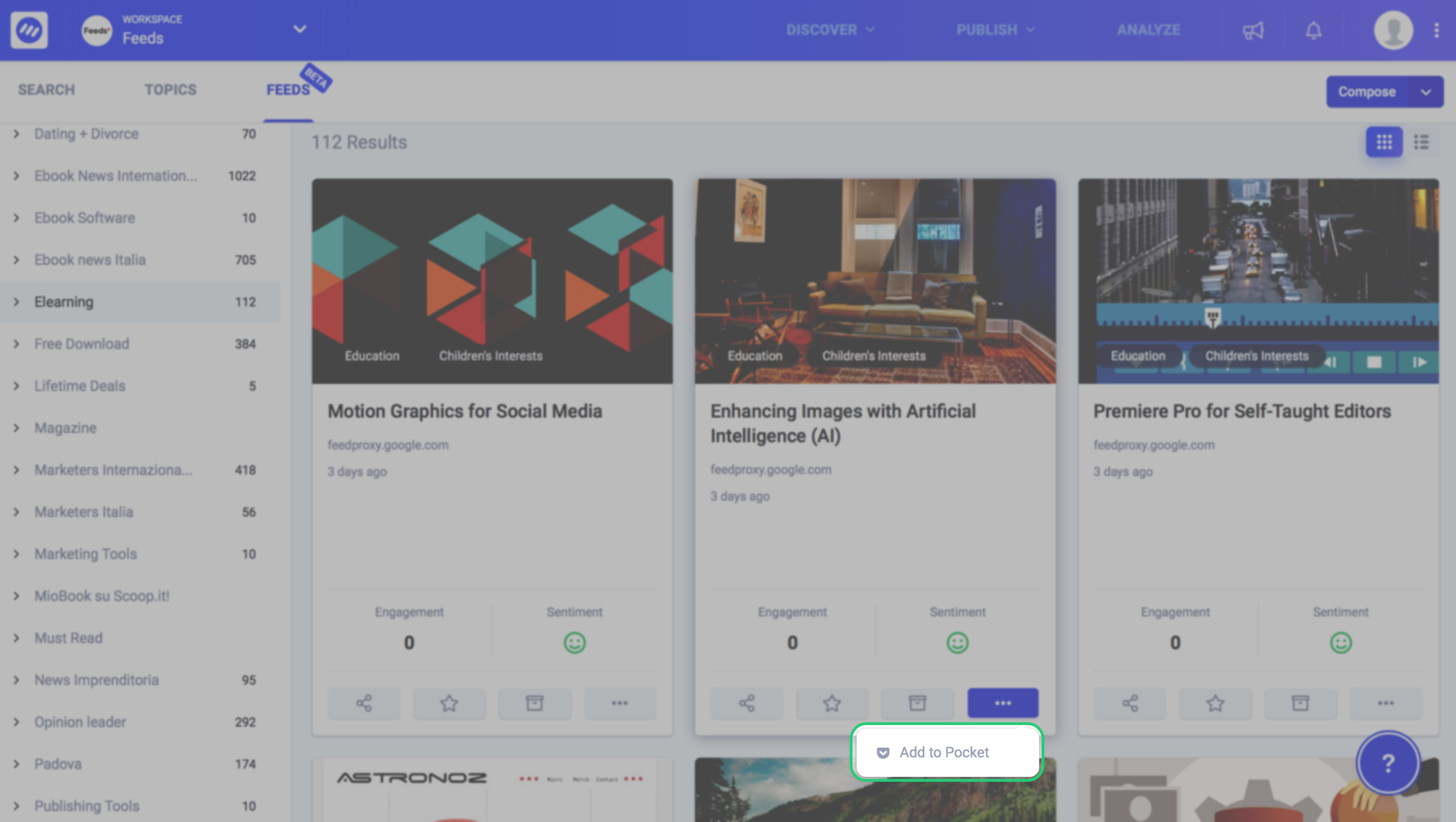
ContentStudio feeds is much more than just an RSS feed reader. It packs so much information and functionality that no other falls in the same category. Take for example the Influencers. As a stamp of authenticity, each post is accompanied by the number of Twitter influencers that have shared this post. This way you know that the post is genuinely trending at the moment.
In the trending section, you get to see the content that is performing well at the moment. Again, you have the option to curate these posts. See steps to Content curation to get a detailed understanding of this feature.and directly share it with your own audience across social media channels.
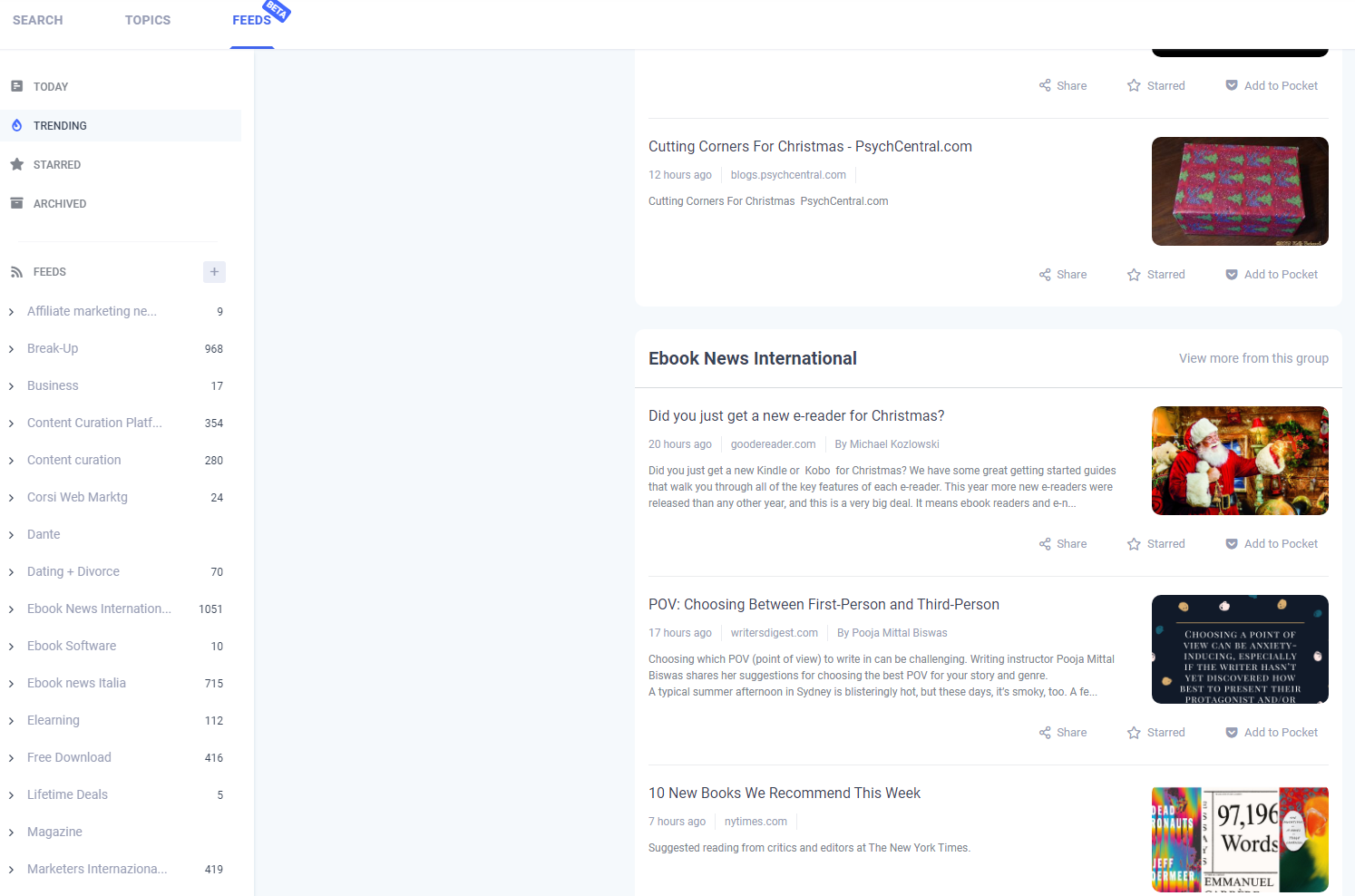
In the feeds section, you can create groups to which you can add the feeds. For example, you can create a group called digital marketing training and add 15-20 feed URLs to it. Your feed group also shows the number of feeds in a particular group. If you archive any of the articles in a group, the number associated with it will automatically decrease. When new articles come in, the number is increased.
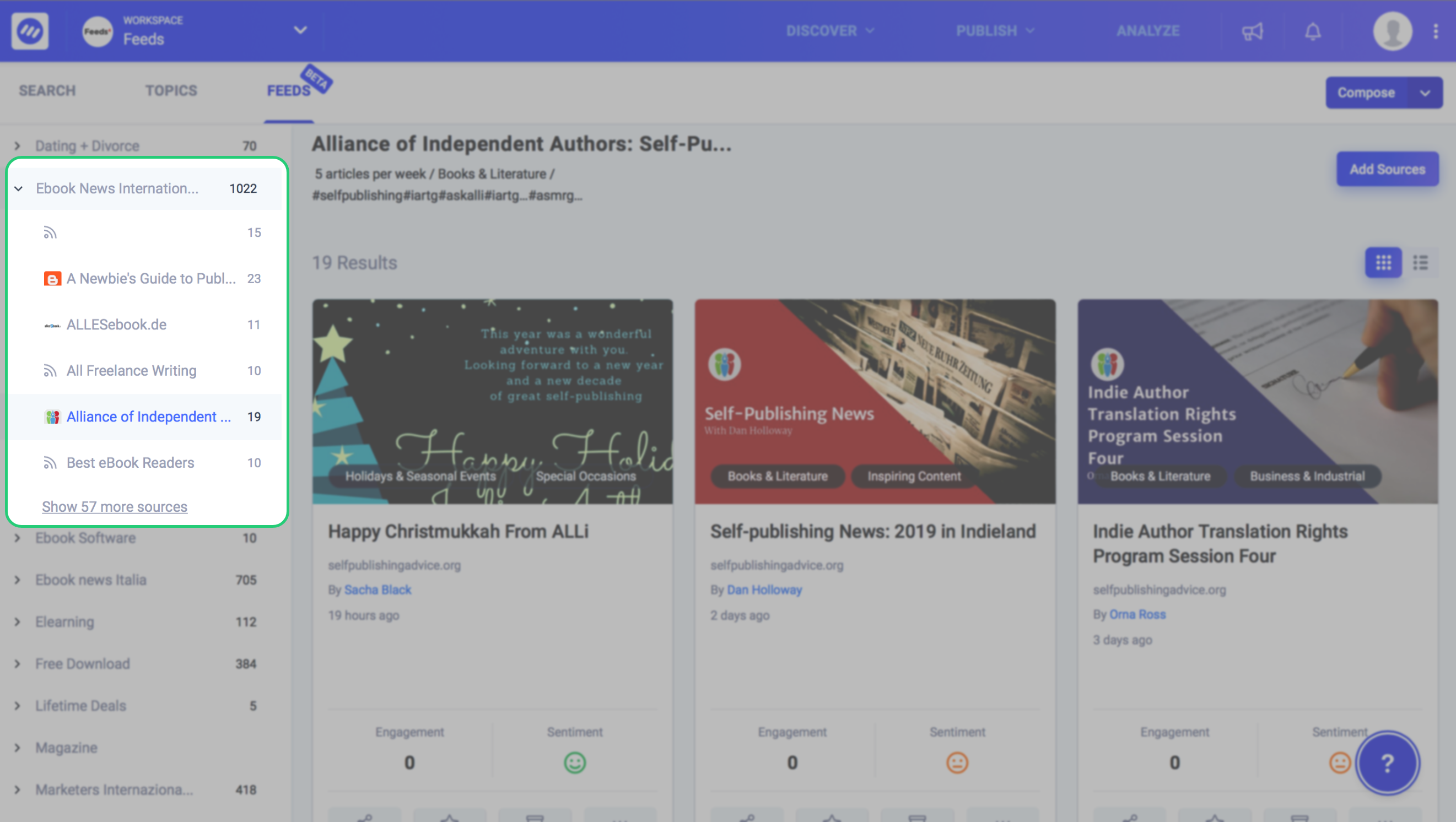
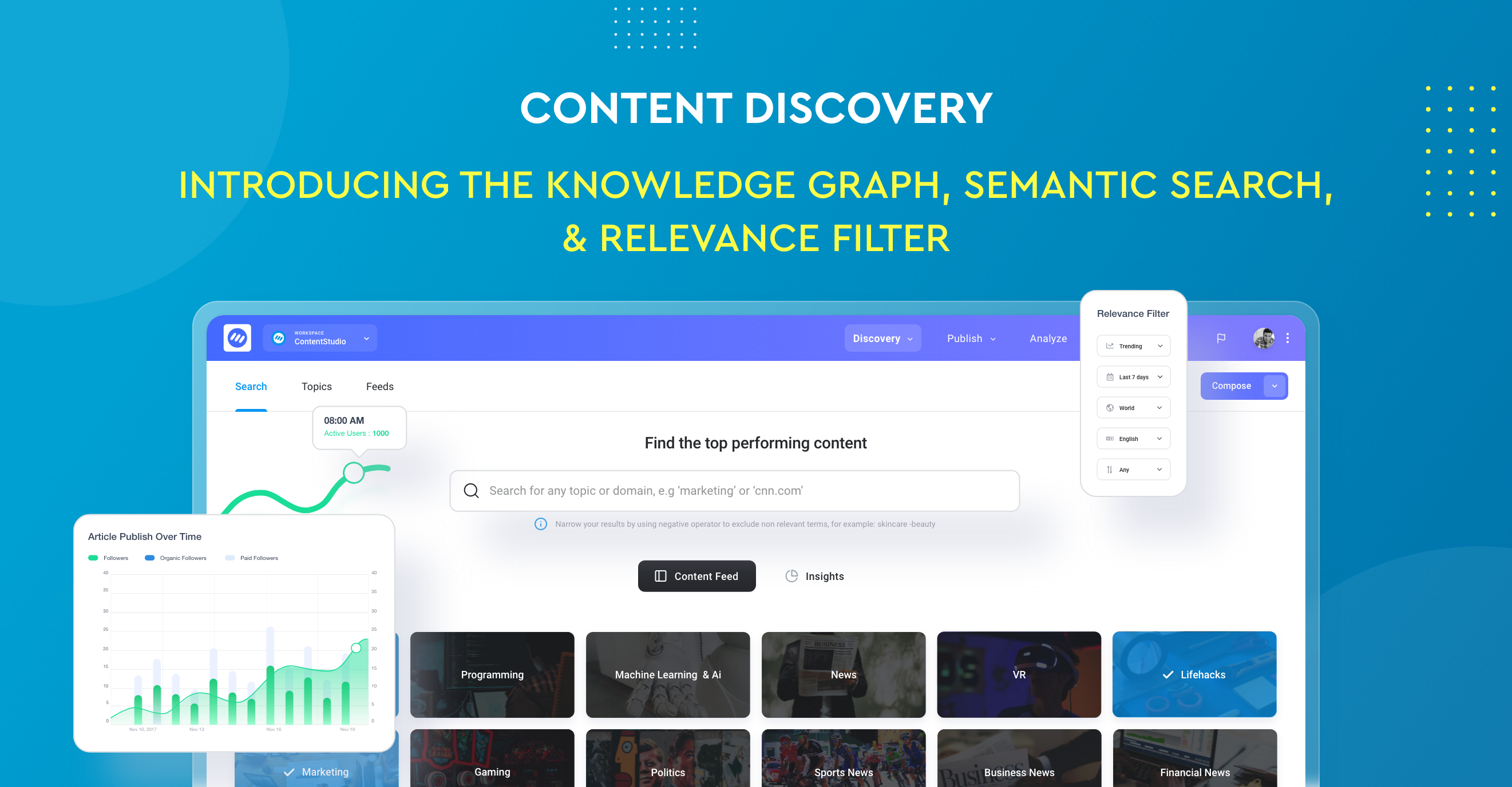
Once inside a particular group, you can view the content in a list or grid view for easy access. You can then add further sources by clicking the “Add Sources” button. Here the ContentStudio’s feed reader provides you with a list of curated topics that you can follow. It is much like your favourite topics are shown when you join a social media platform.
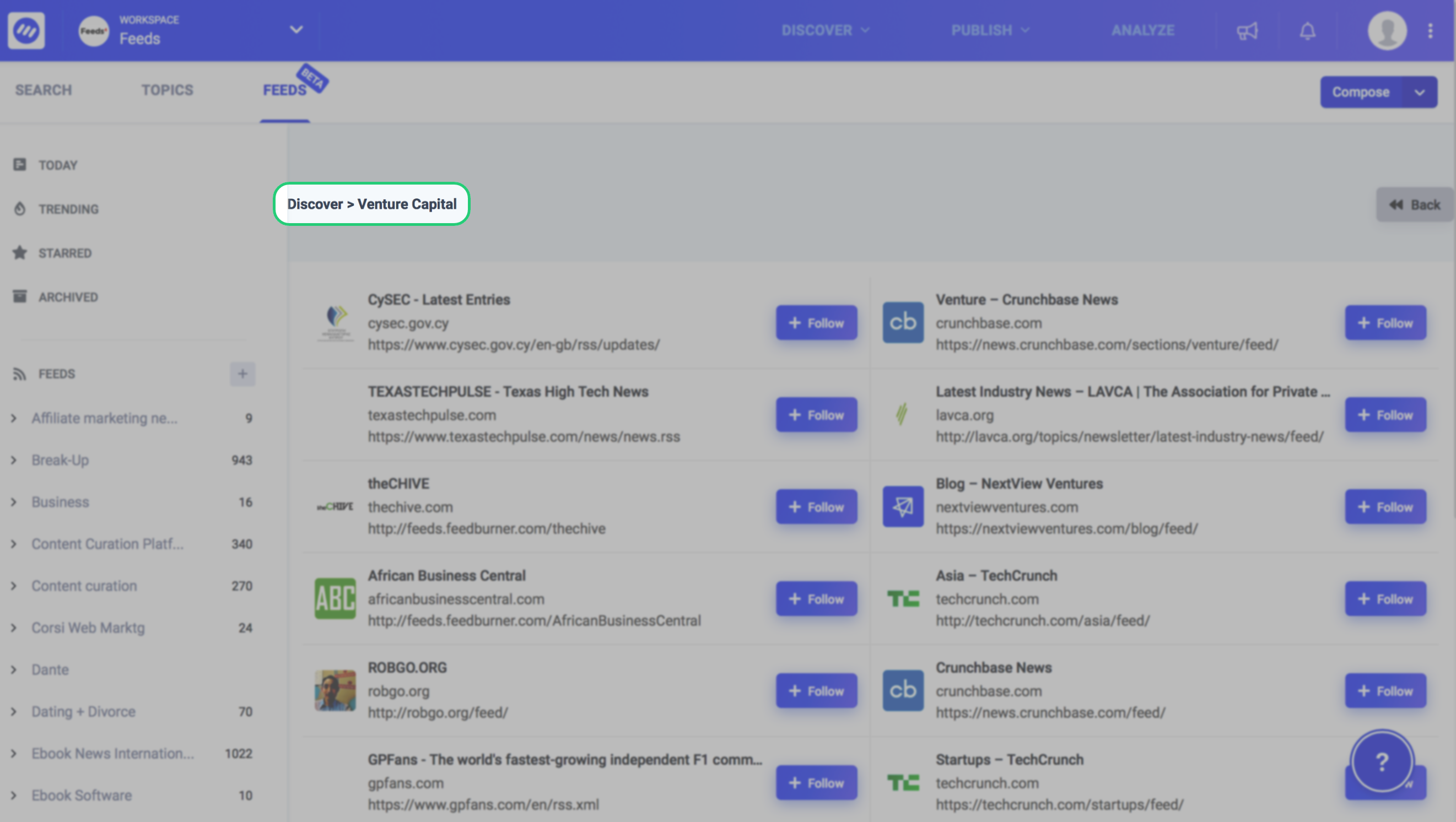
If you click on any of the curated topics, you are presented with a list of verified and trending RSS feeds that you can follow. So an RSS feed reader transforms into content discovery with a click of a button. This way all the trending RSS feeds in a particular topic is right at your fingertips.
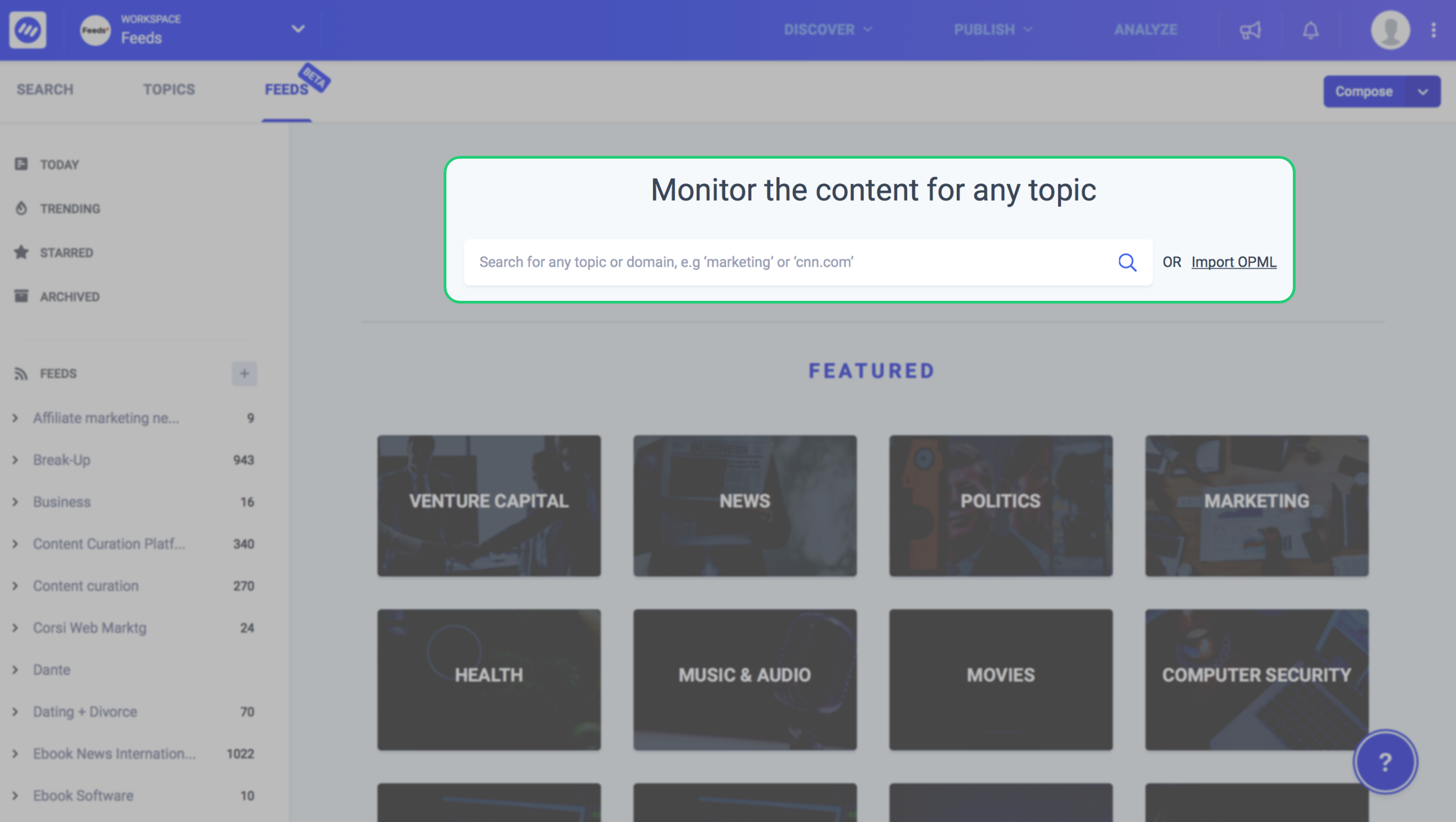
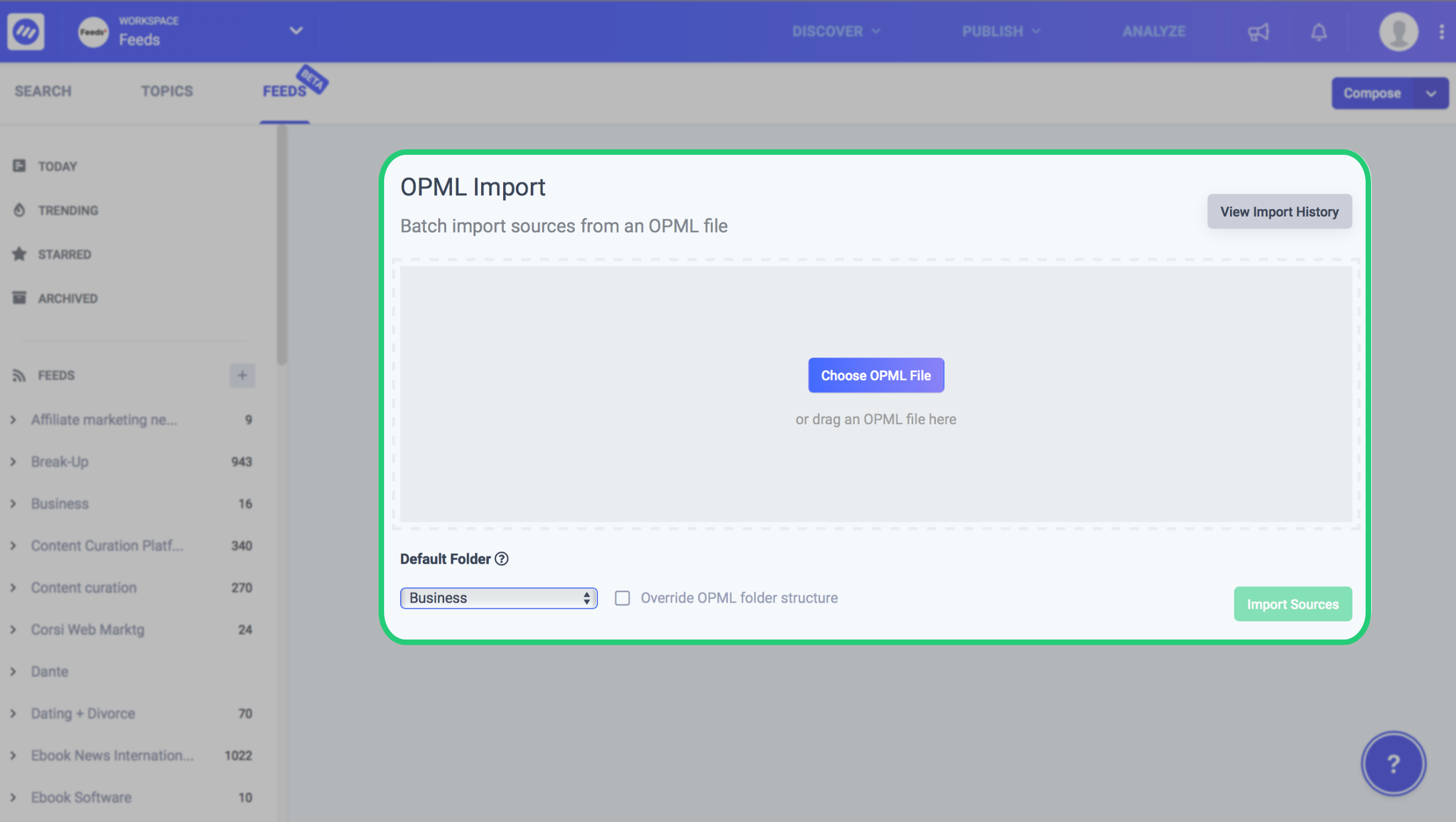
You can also import an OPML file and add sources in bulk. This saves you tons of time and eliminates the hassle of manual labour.
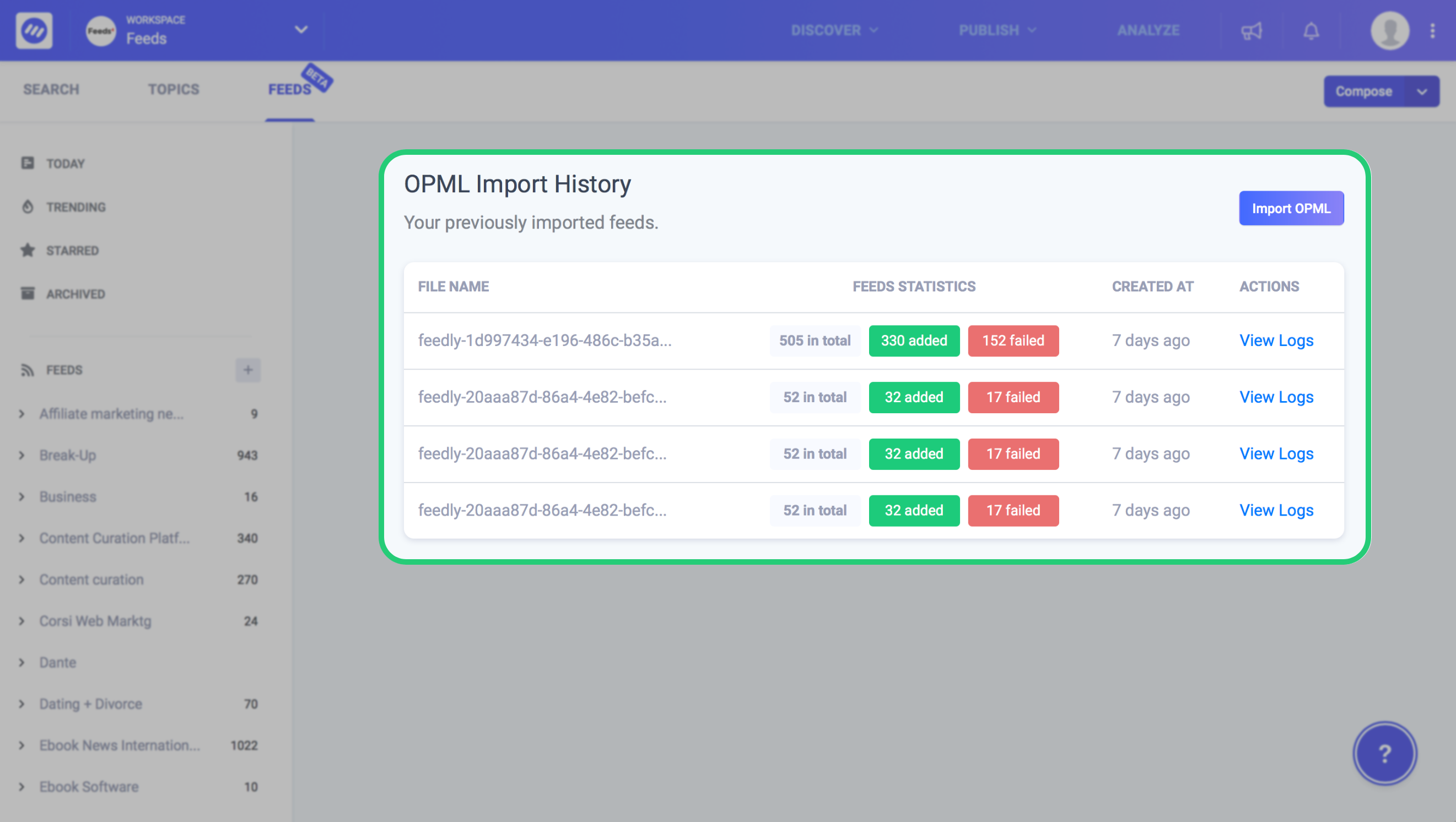
You can also see a complete history of your OPML imports. This will show you many feeds were successfully added and how many failed. This may indicate links that are not working or broken and were not added to your feed.
The ContentStudio feed reader is all that you need to follow your favourite sources and share trending content on social media. You also can group your feeds to create topics. Import feeds in bulk and analyzes upload history.
Its ability to instantly curate content and share across social platforms makes it an ideal RSS feed reader app. You can plan your content in the content planner and keep insights of all social media analytics at one place.
2. Feedly
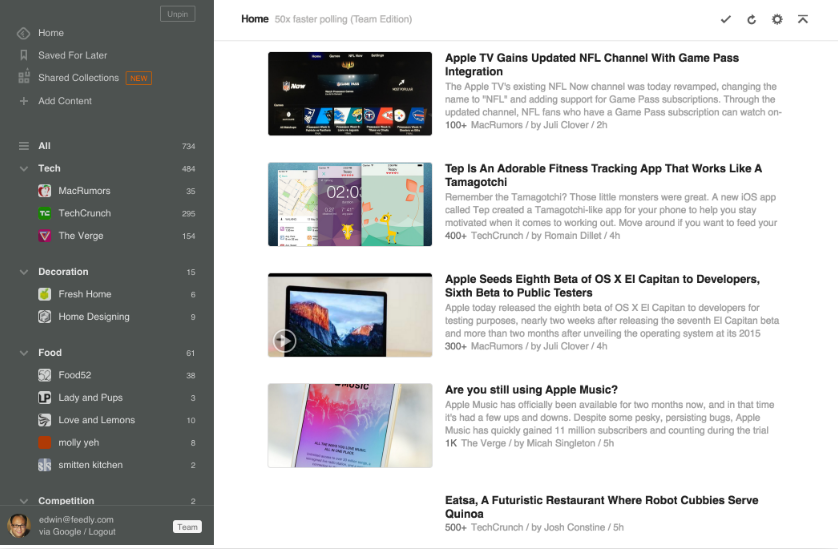
Feedly is one of the most widely used RSS feed reader app available in the market today. Part of the reason for its popularity is its ease of use and clean interface. It shows all your favourite site’s feed and then you can categorize them on the basis of their topics.
For the purpose of mobility, Feedly offers an iOS and Android app to read articles on the go. One advantage of Feedly is that it offers users a free plan who just want to casually stroll through the feed.
You can add 100 (on free plan) sources and even watch Youtube videos. For added features, you need to buy the pro plan. This will enable you to aggregate and curate content, search the feeds, get Google keywords alert, and add notes wherever you feel necessary.
3. Feedreader
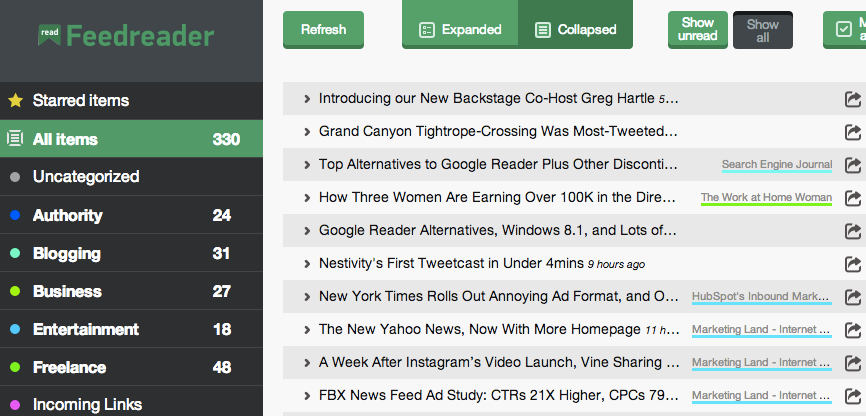
Feedreader is a handy RSS reader app that offers multiple features through its web app. Unlike some of the other apps in this list, Feedreader is ad-free. You can also subscribe to feeds which is more or less the same as adding them to the list.
Feedreader offers two views for its users i.e. expand and collapse. In the collapse mode, you can see only the headlines whereas expanding the list shows details about the articles.
In this reader too, you can categorize your feeds to segregate them. An added feature allows you to mark items as read or starred to be viewed later on.
4. Flowreader
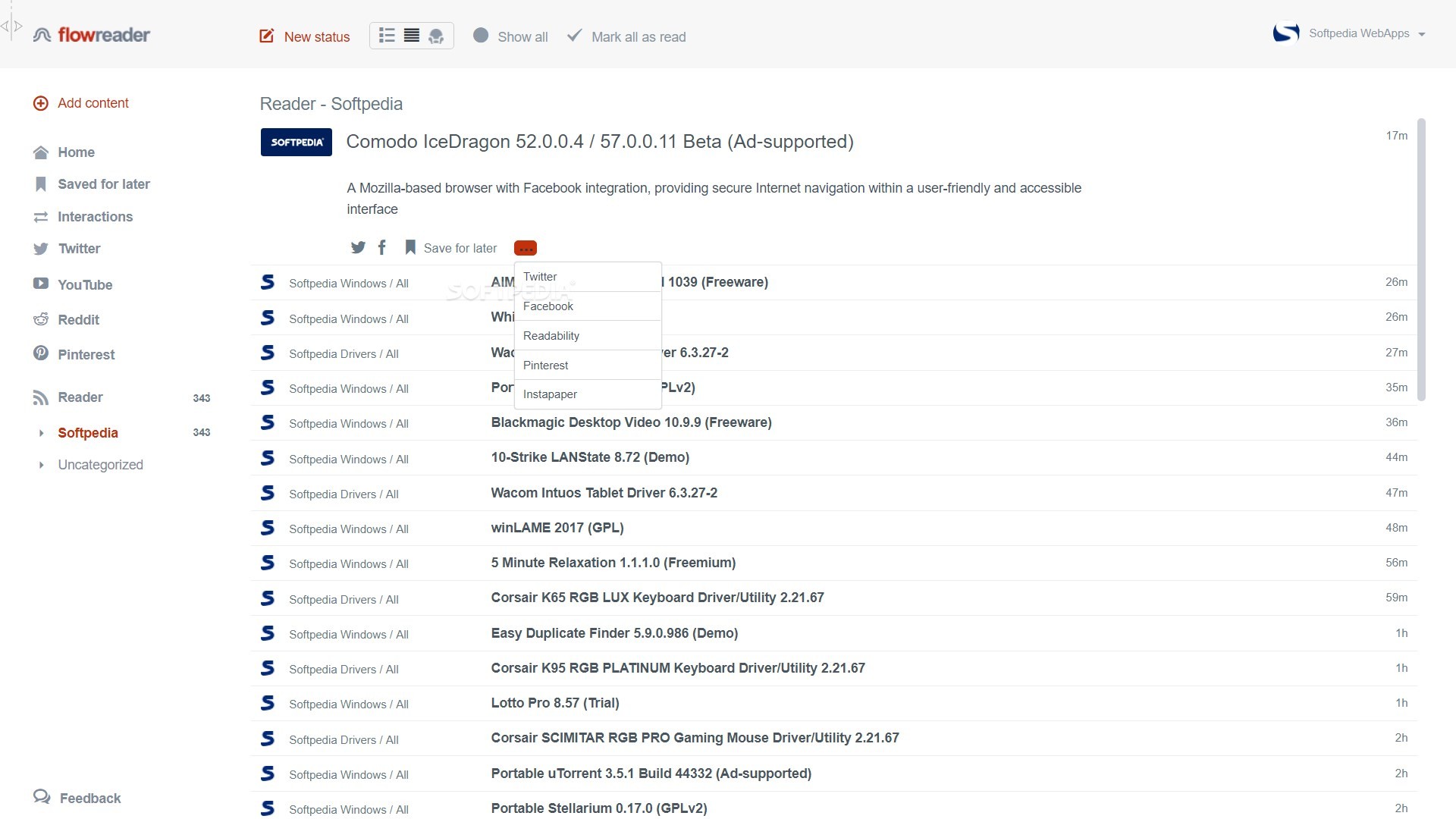
If you are in search of an RSS feed reader that tracks both URLs and social feeds, then Flowreader is the tool for you. It has the ability to inform you about updates on the pages you have liked on Twitter, YouTube, Reddit, and Pinterest.
In FlowReader you can view the feed in reverse chronical order. Furthermore, you can connect your social accounts and start following your favorite brands, channels, and page’s feed separately.
You can view the tweets ranked by virality or even the ones you missed.
Subscribe to as many blogs as you want, and see the headlines of their posts in reverse chronological order. Take a bird’s eye view of the headlines, and open only those that catch your eye.
5. Inoreader
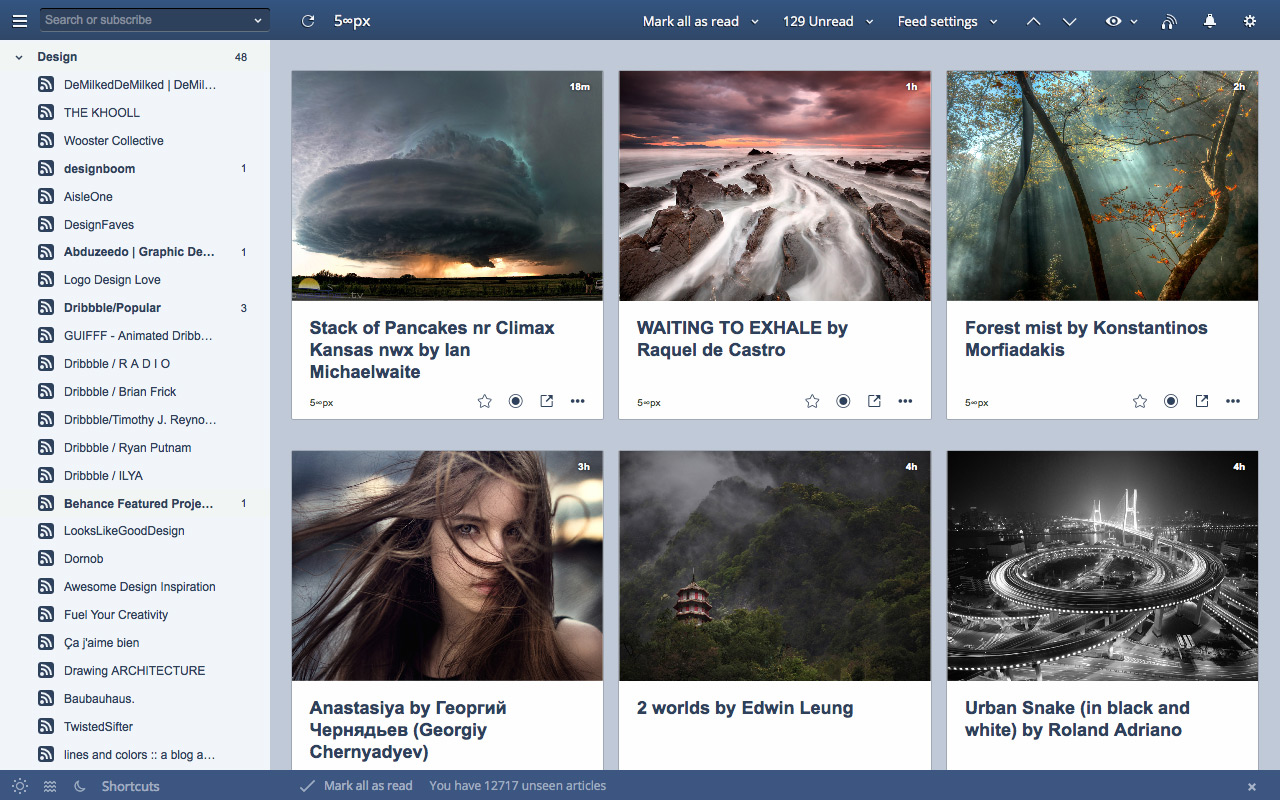
This tool will cover almost all your RSS feed needs. It offers web, iOS, and Andriod App to give you round the clock updates of your favourite sites. t’s easy to use, user-friendly with an awesome user interface, and great automation packages that help you keep up with the current news and information.
Like most other tools, the Inoreader also allows you to create categories to better organize your feeds. A huge advantage of using Inoreader is that it has no time limit on archives which means you do not need to worry about your content being diminished after a specific time.
However, the best thing about it is that you can create a free account to discover valuable content. The free version does show ads and the paid plan starts from $14.99/ year for the Starter plan for ad-free reading and a customizable dashboard.
6. Feedspot
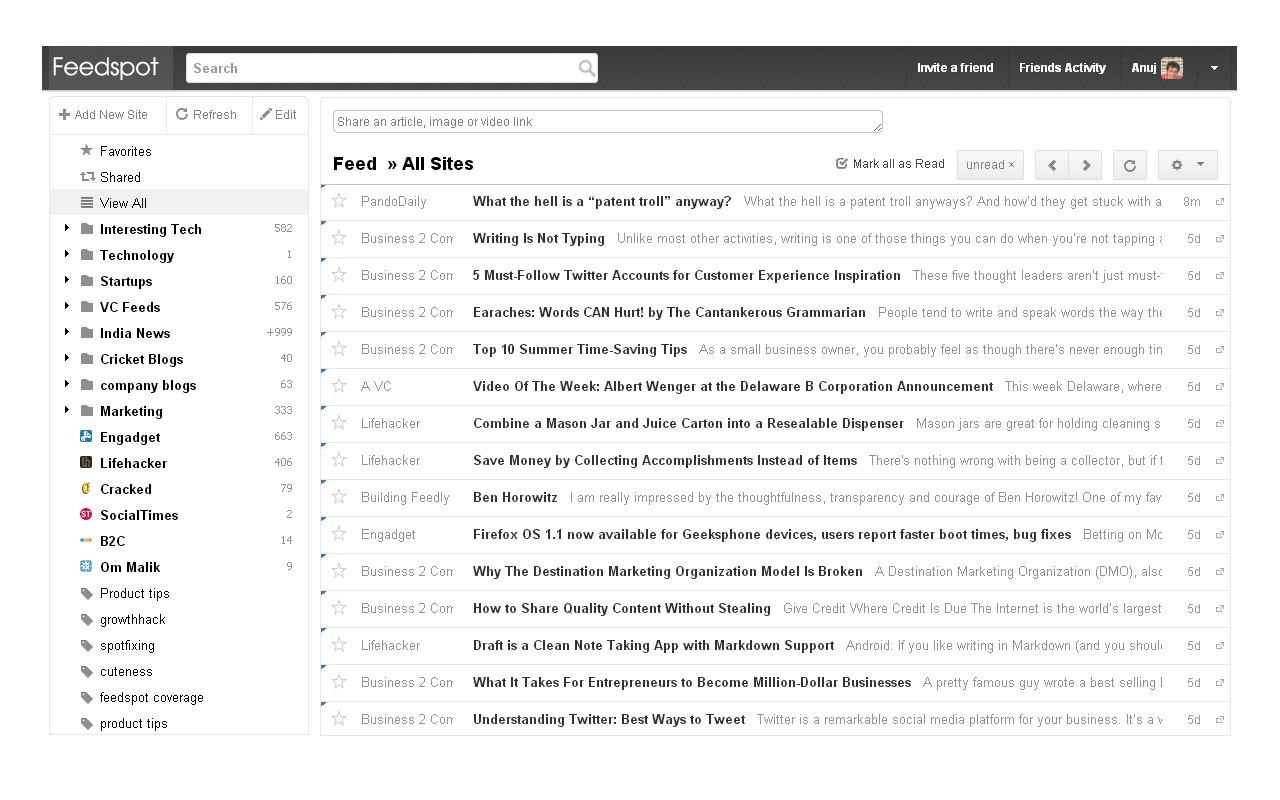
In many aspects, Feedspot is quite similar to Flow Reader. It also allows you to read your favorite Blogs, Podcasts, News Websites, Youtube Channels, and RSS feeds from one place.
Not only this it also has a search engine where you can search for your favorite RSS Feeds. It would also suggest and recommend you RSS feeds similar to the ones you have already added.
To expand its search radii, Feedspot integrates with Twitter, Facebook, Tumblr, Pinterest, and Instagram to keep you updated with the latest posts of the channels you have liked.
Feedspot has a paid subscription plan that costs $24 a year, and it gives you an advertisement-free experience.
7. Netvibes
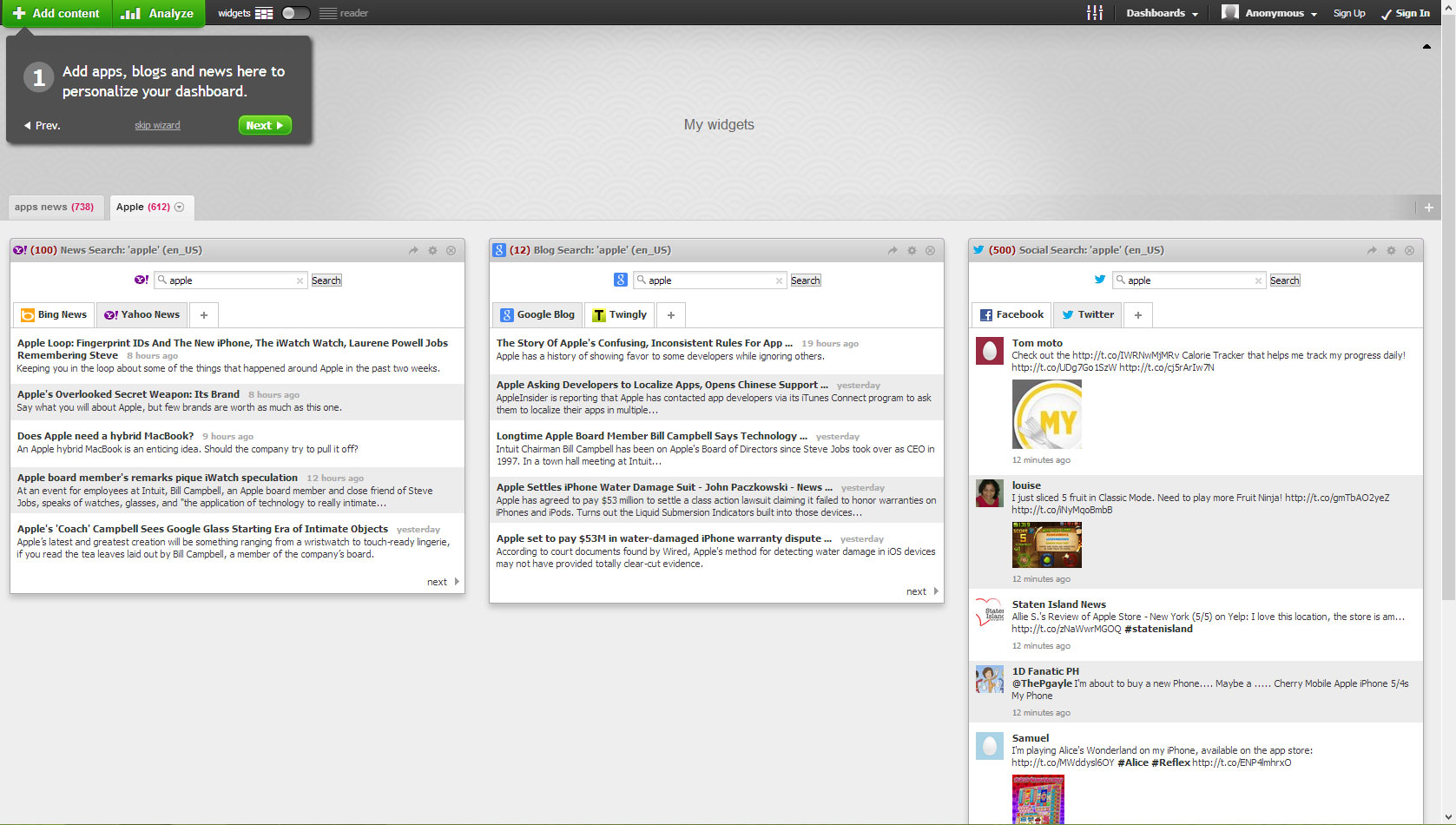
Netvibes is another great RSS feed reader especially if you want to monitor your brand and keep up with social media kpis. As a standard it lets you add and follows RSS feeds but it has a trick up its sleeves which no other tool has. It has magic potions. Let me explain.
In Netvibes, you can use potions to monitor and track @mentions. This is a great way to check the progress of your brand. It even lets you track Hashtags of your choice.
Netvibes monitors 38 trigger apps including Twitter, Medium, Reddit, Slack, etc. You can set the trigger to monitor the specific site, then assign an action to it which could be an RSS feed. Once the process is complete, all of the mentions that meet your trigger criteria show up in your feed alongside any publications you’re following.
Netvibes offers a basic plan for free. You can get a premium plan for $24/ year billed monthly.
8. The Old Reader
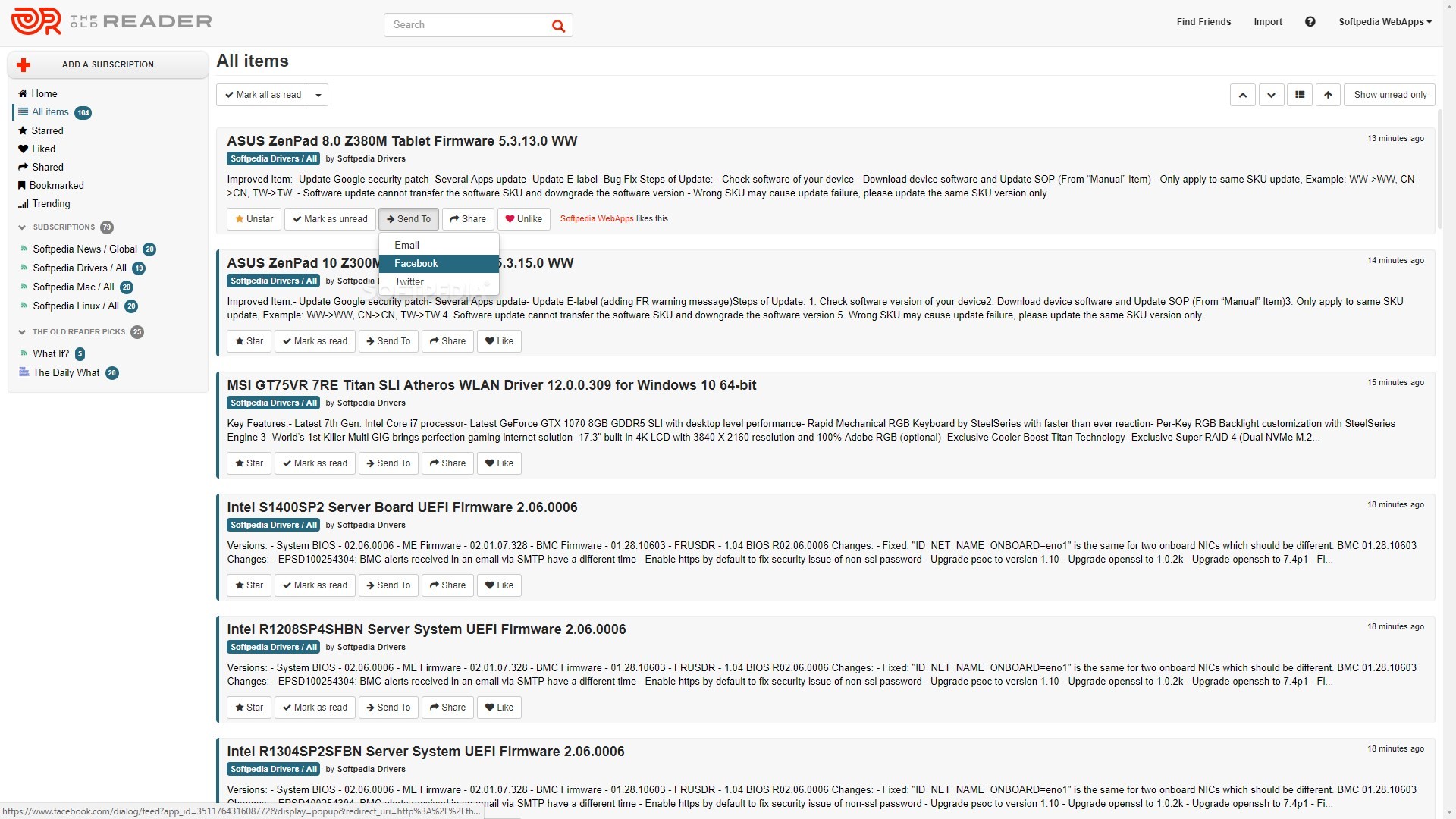
This is an RSS feed reader with a twist. Unlike its competitors, The Old Reader allows you to connect with your friends on the app and share content with them. This is great if you have peers who like to read the same stuff as you do.
If your friends do not use the Old Reader, you can also stay updated with the latest content by checking the trending articles. These are the ones that have recently received the most praise online so you know it will generate engagement.
The Old Reader shows content in reverse chronological order do the freshest content is available to you. It also offers a free plan in which you can get up to 100 feeds and limited search functionality.
If you want full-text search functionality and up to 500 feed subscriptions, you should upgrade to the premium plan. This would also give you one year of post storage access.
9. Feeder
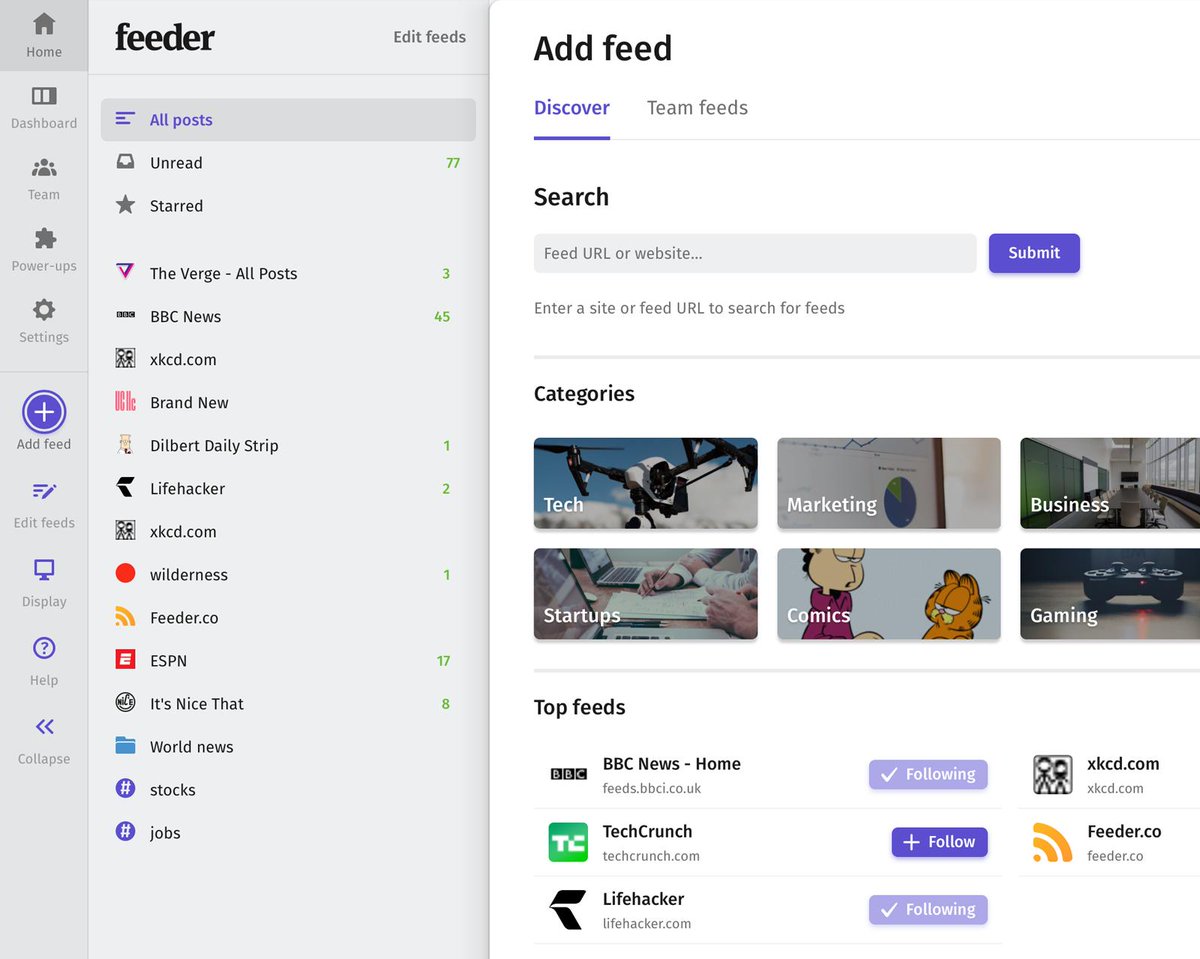
The Feeder is your conventional RSS feed reader app in which you can subscribe to popular feeds and view posts in reverse chronological order. But what it lacks in flair, it makes up for in functionality.
you can use its browser extension for instant access to post headlines. This is great for people you want to skim through the headlines in the morning.
The Feeder app also offers Andriod and iOS apps for posts updates on the go. This way you get headlines and simplified views of full articles.
The basic plan includes access to all its extensions and app but you see loads of ads. The paid plan is $60 and of course, ad-free.
10. G2 Reader
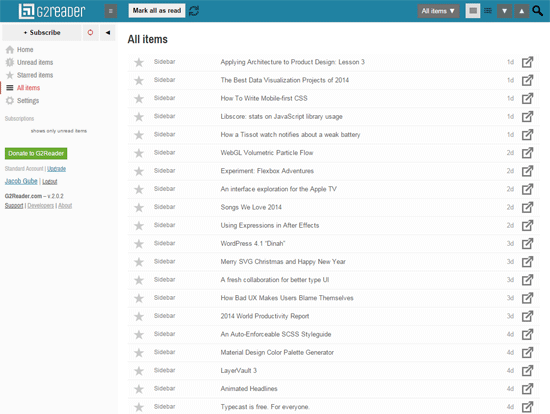
The G2 Reader is another prominent RSS feed reader that claims to be the replacement to the Google Reader. It has all the basic functionalities that a feed reader should have, plus it offers mobile apps and Chrome extension.
You can view the posts in expanded or list view. In addition to this, you can mark items as read, starred or unread.
G2Reader is free only up to 100 subscriptions. It will cost $29 a year beyond that.
11. Selfoss
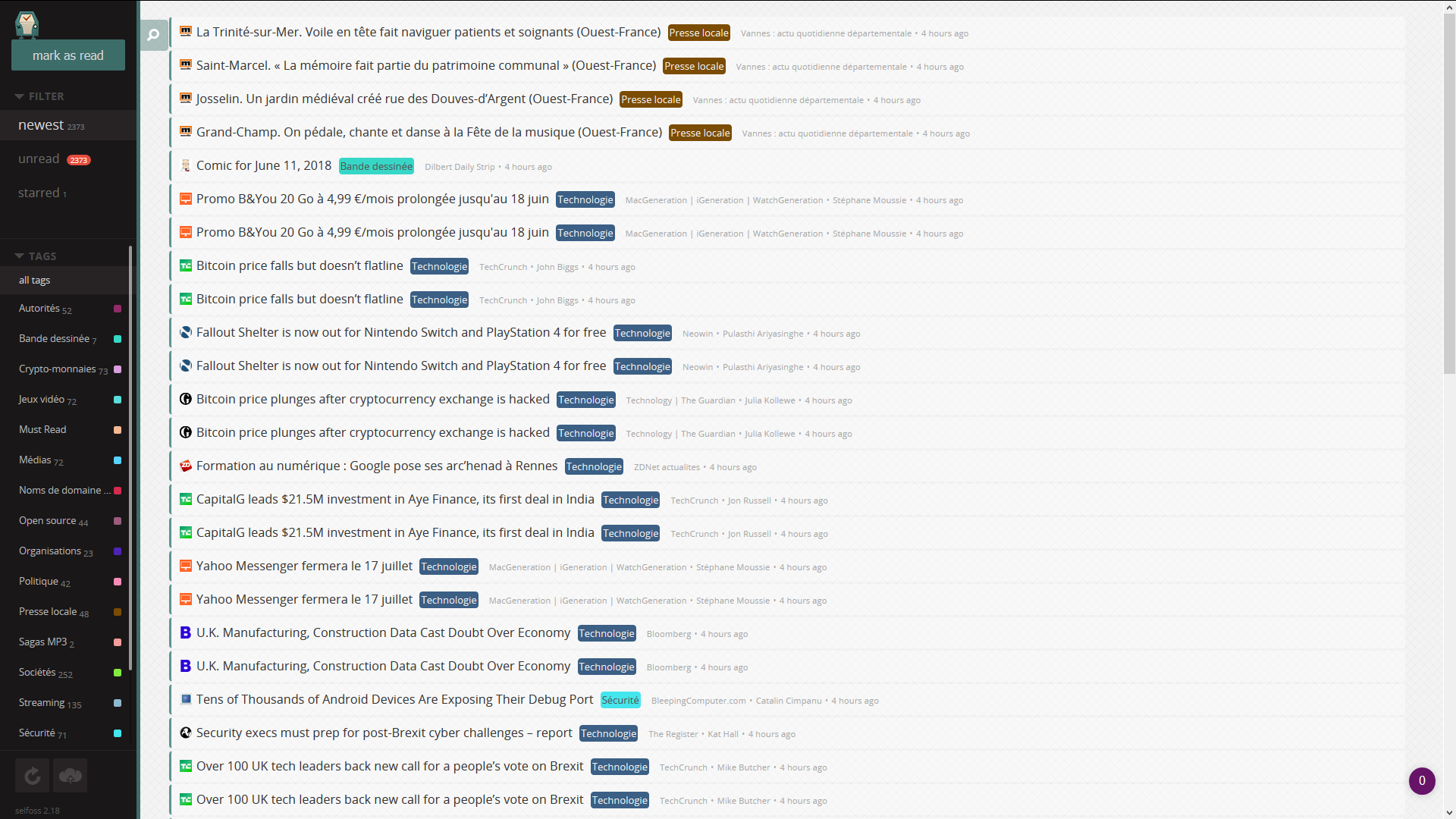
In this list of RSS feed readers, Selfoss is one of a kind. It can be customized to suit your needs. You can even host it on your own servers.
With Selfoss, you can follow feeds and people on social networks. Currently, it only allows you to follow people on Twitter.
It is the only RSS feed reader that is open source. You can download its code and customize it. Add new data sources that you find missing in the original app. Along with that, you can integrate new plugins.
And with a Fever API bridge, it can sync with apps that were designed to work with the now-unsupported Fever RSS reader.
12. NewsBlur
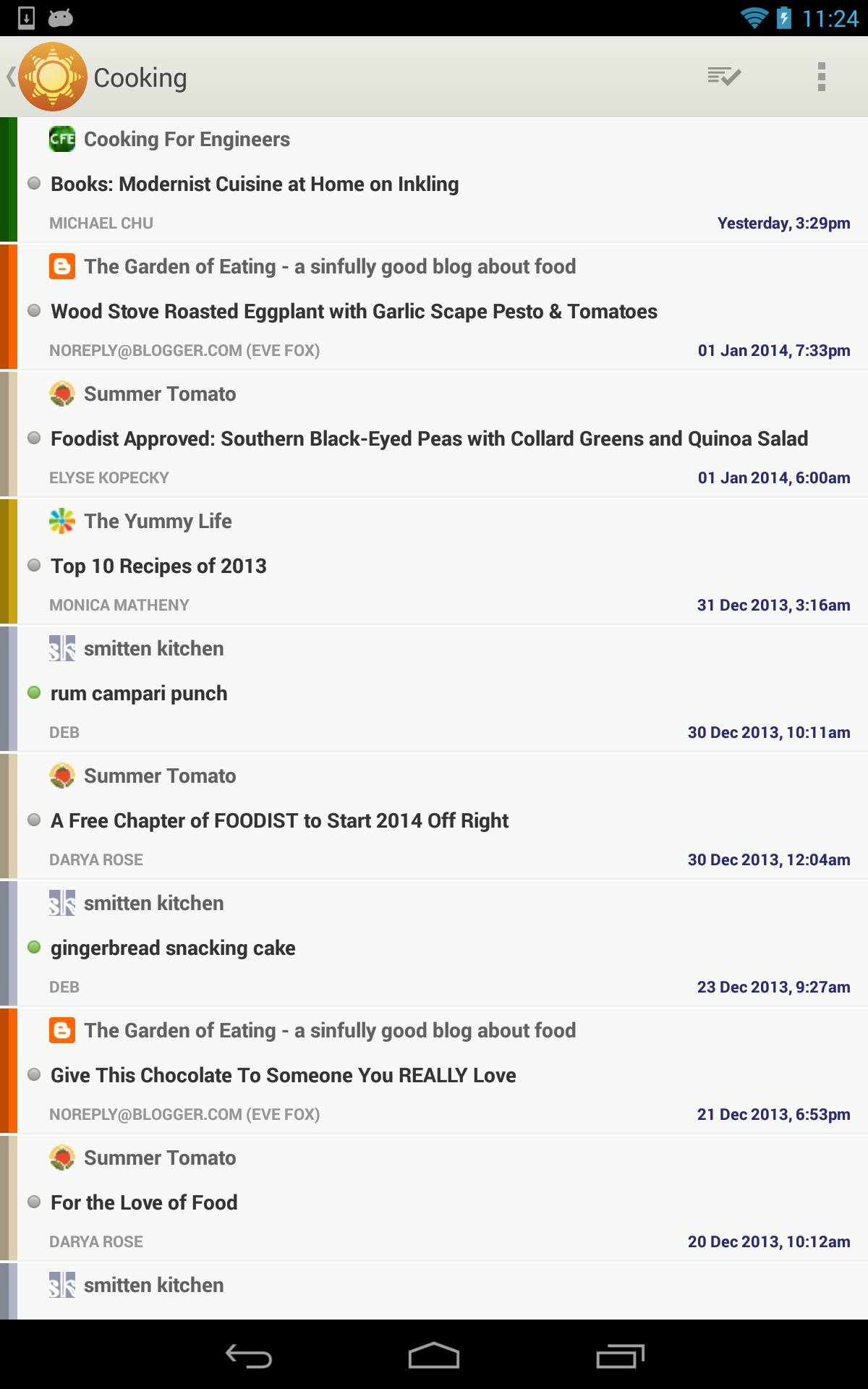
This is one of the most intelligent RSS feed readers available in the market. As a standard, you get 64 feeds for which you can see full-text content. using NewsBlur you can save posts which you can read in the future at your convenience.
One feature unique to NewsBlur is that it minimizes the click for reading. So you can just scroll through and the articles keep on showing.
NewsBlur also has intelligent filters that you can use to scrutinize the content in your feed. These filters can actually learn the pattern of your searches and you can teach them too. This way you can see customized stories. Even if a source is publishing articles in bulk, it will show you only those of your interest.
You can use the feed to post on social media or within NewsBlur itself. The free version allows you to add 64 channels and a premium version will set you back $36 per year, which is not so expensive.
Like Selfoss, NewsBlur is also opensource and you can download its code to add more sources.
13. Bloglovin
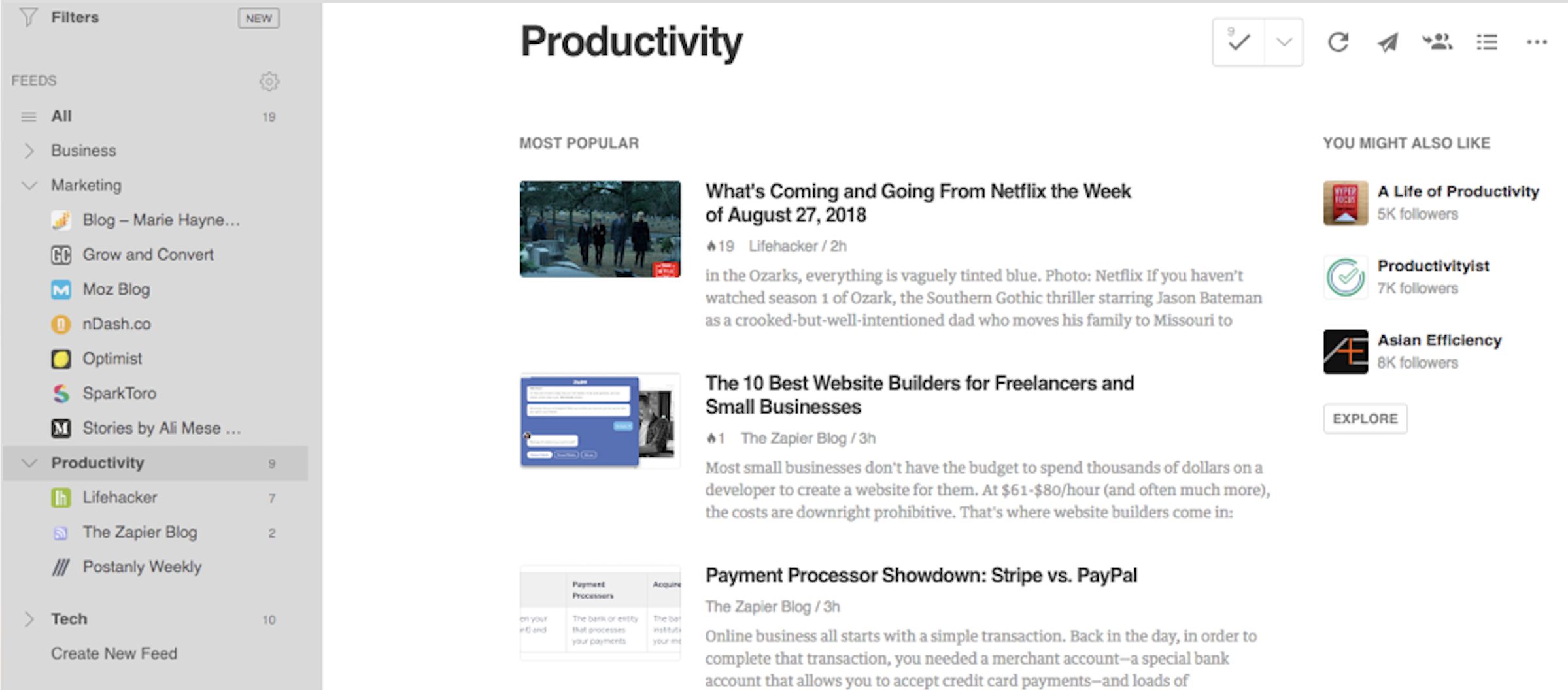
Bloglovin is the most visually attractive feed reader of the lot. It is poised more as a social media platform than an RSS feed reader. In Bloglovin, articles are shown more like images posts on social media.
The similarity does not end here. You also get love and a comment button so that you can engage with the article you like. Bloglovin also shows you default categories such as fashion. technology, news, etc which contain posts that have received appraise from other people.
You can also create your own category. This is really helpful when you searching for inspirational ideas, you can create a category for it and add relevant content. Then further down the road, you can view the folder for motivation or ideas.
14. CommaFeed
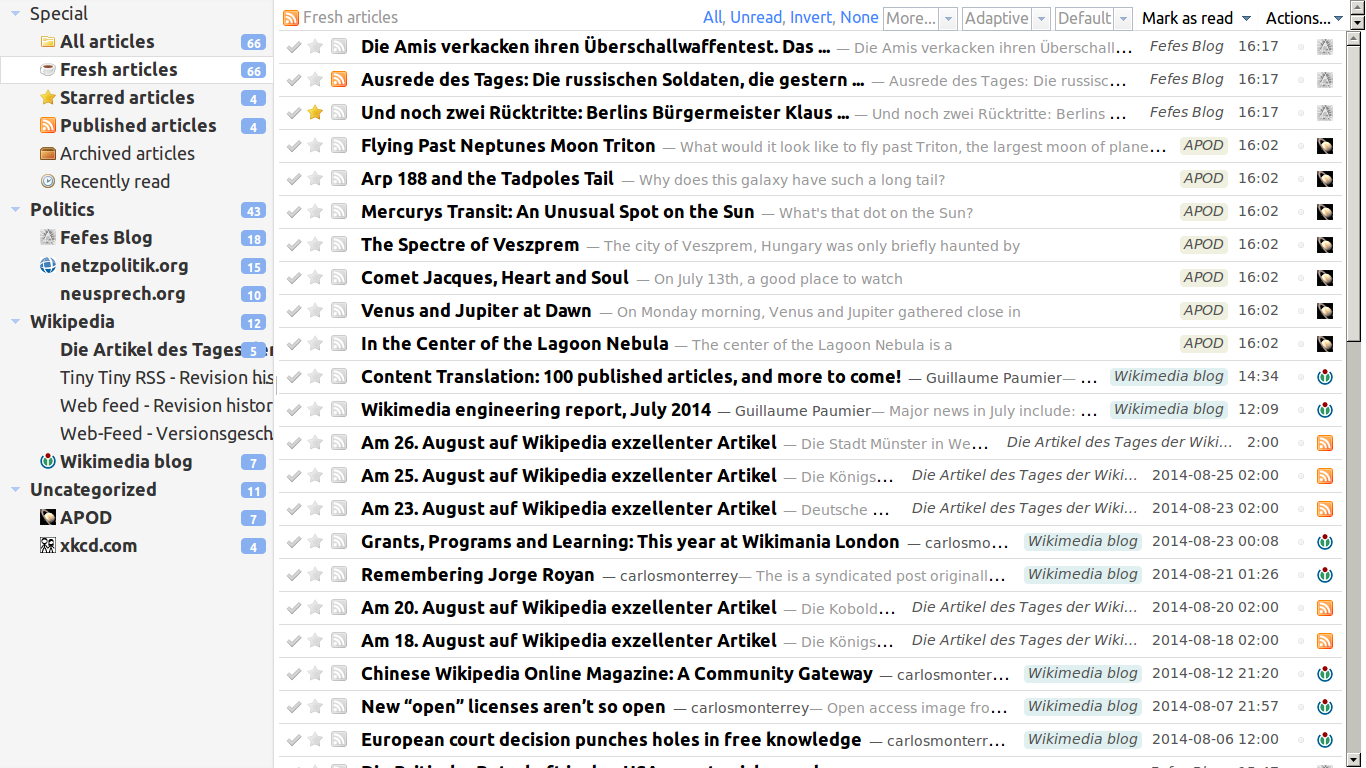
CommaFeed is a free RSS feed reader designed on the same pattern as the Google Reader. It is also an open-source for you to download it and add more feeds. It has a clean design and great UX.
Like its competition, it offers both web and mobile applications.
15. GoodNews
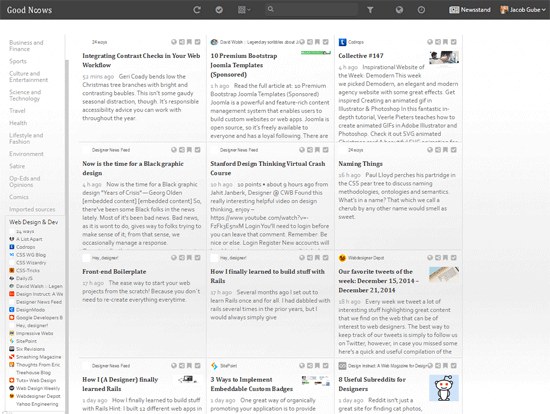
Good News aggregates all your content sources in one place. This means you can read your RSS, favourite sites, and social media in a centralized way. It has a total of 12 alternative viewing modes for your convenience.
Your Turn
There are some great RSS feed reader applications available. Most have web apps while some offer mobile apps as well. The basic functionality they offer is the same i.e. follow your favourite sources on the web.
Some apps give additional freedom to categorize feeds, following social accounts, or favourite and archive posts. But a unique proposition is that you are able to share articles from the feed directly to your social media accounts and only ContentStudio will allow you to do that. Ultimately helping you grow your Social channels and product!

Wasiq Naeem
Wasiq Naeem is a content and digital marketing veteran who is passionate about his writing. Extensive research and producing high-quality content is just another day at the office for him.