


Content marketing is a rapidly growing industry and billions of dollars are being spent every year. The overall spending on content marketing is on the rise as compared to other marketing channels such as traditional TV and newspaper ads or website banner ads. A UK-based content marketing survey showed that 86% of the businesses revealed that they use content marketing, which shows how much attention it’s getting.
When content marketing is becoming a mainstream marketing tool, it’s understandable that digital marketing’s spectrum will change over time. The content is essentially taking up a share in the online marketing budgets, which were mostly spent on PPC, CPM, or Direct ads back in the days.
In case, you aren’t familiar with content marketing, then here’s our definition of content marketing:
“Content marketing is a strategy of engaging the audience through different types of content such as written, audio, video, and images to attract, nurture, and convert them into paying customers.”
To keep up with the latest marketing trends, it’s necessary to understand each and every aspect of it. Content creation is an integral part of content marketing, so is content promotion. Let’s dive deep into content marketing and explore how you can make the most of your content.
One of the essentials of content marketing is building a content calendar. Social media managers, content marketers, and bloggers plan, create, and schedule content on a regular basis. Some of them pay close attention to content calendars as well.
What’s a Content Calendar?
A content calendar layouts the content topics, publishing dates, and social media sharing schedule to assist social media and content marketing team members.
A content calendar gives team members a collaborative environment to sync and put out content more effectively. Not only does it help content creation staff in creating new content, but it also allows social media teams to promote content more often.
When a content calendar is followed, teams inside an organization such as social media and content marketing departments get on the same page.
For instance, if your content creator is collaborating with the graphics designer to get infographics designed, the social media manager would also be aware of that. The reason is that everyone is following the content calendar so they’d know:
- The type of content which is being produced
- When it would be ready to schedule
- The date of publication of the content
- When it would be shared on social media
4 Key Elements of Building a Content Calendar
A content calendar’s effectiveness is based on various factors that chip in and make it something useful from the marketing standpoint. Some fundamentals of a content calendar include taking input from the individuals and keeping everyone on the team up-to-date with the progress.
What a content calendar does is that it gives the marketing department or social media team a roadmap to stick with it and stay connected with everyone else on the team. The connectivity, however, comes into play if the system is being followed.
Let’s discuss the four key elements of building a content calendar:
- Content Planning
Content planning is an integral part of building a content calendar. If the idea of content planning is detached from the content calendar, then there is no point of creating a content calendar. What planning does is that it gives a layout to follow regarding research, creation, scheduling, and sharing of content.
- Team Members’ Collaboration
One of the necessities of building a content calendar is collaboration. If there is no collaboration between the team members, then the whole plan will fall apart. A content calendar brings everyone involved in content marketing on board. The collaboration happens between the content creators, graphics designers, video editors, website designers, and social media managers to make sure that the content flow remains smooth.
- Resources Distribution
One of the important elements of the content calendar is the distribution of resources. Often times, the resources are limited to a specific team and others don’t have direct access to it. So some jobs could be delegated to other team members to keep the content flux going. For instance, if the graphics designing software’s subscriptions (such as Corel Draw or Adobe Photoshop) are only available to the graphic designer on the team, the content writer could request the graphics designer to design an image for the blog post.
- Insights and Analytics
It’s essential to keep an eye on the statistics. Once you develop a content calendar, don’t ignore the social media and content analytics. The statistics will help you navigate further as well as educate you on the effectiveness of your content calendar. Go through your Google Analytics and social media management tool’s statistics to understand how your content is performing.
A Step-by-Step Process of Building a Content Calendar
A content calendar improves the processes such as creating, organizing, scheduling, and sharing of content. However, it depends on the organization how it wants to go through with it. For example, a popular tech blog may focus on publishing articles, but a fitness-related blog might be inclined towards posting Pinterest content. So it comes down to every individual company or blog to design the structure of the content calendar. Let’s take a look at the most common steps of building a content calendar:
#1: Designing Your Content Plan
The process of building a content calendar begins with content planning. It’s no different than starting a new blog; when we launch a new blog, we write a bunch of articles beforehand to get going. Similarly, when we build a content calendar, we study various aspects of our business to prepare the right content.
In other words, a content plan is a groundwork that is required to be done to come up with a content calendar. It consists of lots of planning, brainstorming, and exchange of ideas to pull this off. To make the process smoother, you must first understand the following things:
- Industry
- Demographics
- Strengths
- Products/Services
- Social Platforms (of Choice)
Once you’re crystal clear with these things, you’re ready to dive deep into content planning. A content plan is a process of bringing in the clarity about a brand and its target audience before the content creation. So following are the essentials of a content plan:
Keywords: Keywords are the search phrases that people use for searching content, solutions, and websites on Google and other search engines. The keywords have a very significant role in content creation, especially in publishing written content. Everyone knows how they attract visitors through search engines and increase the traffic of the websites if used properly.
So choose a select number of keywords and utilize them in your content so that your content could get some traction through search engines.
Content Ideas: Once the keywords have been decided, it gets easier to come up with a number of topics to write articles, create Pinterest, design Instagram images, and make YouTube videos. The reason is that keywords are utilized in the content topics to attract the attention of the searchers as well as social media users. Keywords are the search terms that people use for searching content on the internet. Therefore, using topics related to popular keywords could increase the number of social media fans and website visitors.
Target Audience: Don’t get carried away by the selection of keywords and content ideas because the target audience is something you shouldn’t forget at any cost. Your target audience is the reason you’re creating content in the first place. So don’t neglect how you can make your content better than others, who your content is going to help, and why they should pay attention to your content.
Once you figured out these things beforehand, it’ll immensely reflect in your content quality and effectiveness.
Niche Topics: Niche topics means the areas/topics of your industry that you should be talking about. Once you’re aware of your target audience, keywords, and content ideas, you could milk the opportunity by covering the areas that competitors aren’t talking about. Moreover, you could dominate those areas, and it only happens when you’re well aware of your product and industry.
Building a content plan doesn’t require any software or tool whatsoever. However, it must be accessible to the team members so that it could be available to everyone on the team. Feel free to fashion your content plan with bullet points and subheadings to make it clear and understandable.
#2: Choose the Collaboration Tools
In step two, you start to put together the blocks by choosing the collaboration tools. A content calendar is nothing without collaboration and teamwork. So choose a project management system that gives a collaborative environment to the team to contribute, interact, and share content. It’d get everybody involved in the content creation process. Once everyone is ready to contribute to the content calendar, you could start off-putting in the work.
Here are two steps that would put you on the right track:
Select a Project Management Tool
A project management tool is a useful online tool which allows team members to interact, collaborate, and work together to get the job done. There are various project management tools out there, and some of the popular ones are:
- Asana
- Trello
- Plutio
Once the project management system is selected, take the teammates from the relevant departments onboard and allocate the tasks to get going. There would be a lot of direct messages, comments, timelines to meet, and communication happening at the same time.
Usually, content writers provide the copy, social media team provide the measurements of the images, and graphics designers put together the social media images. Once the images have been designed, they’re distributed to the relevant teams, for instance, blog post featured images would go to the content team and social media images would be sent to the social media team.
Use a Content Planner
Once the content creation process has begun, the content manager or the social media manager must also start working on the content calendar. To get started with this, you need a content planner to put together your content calendar.
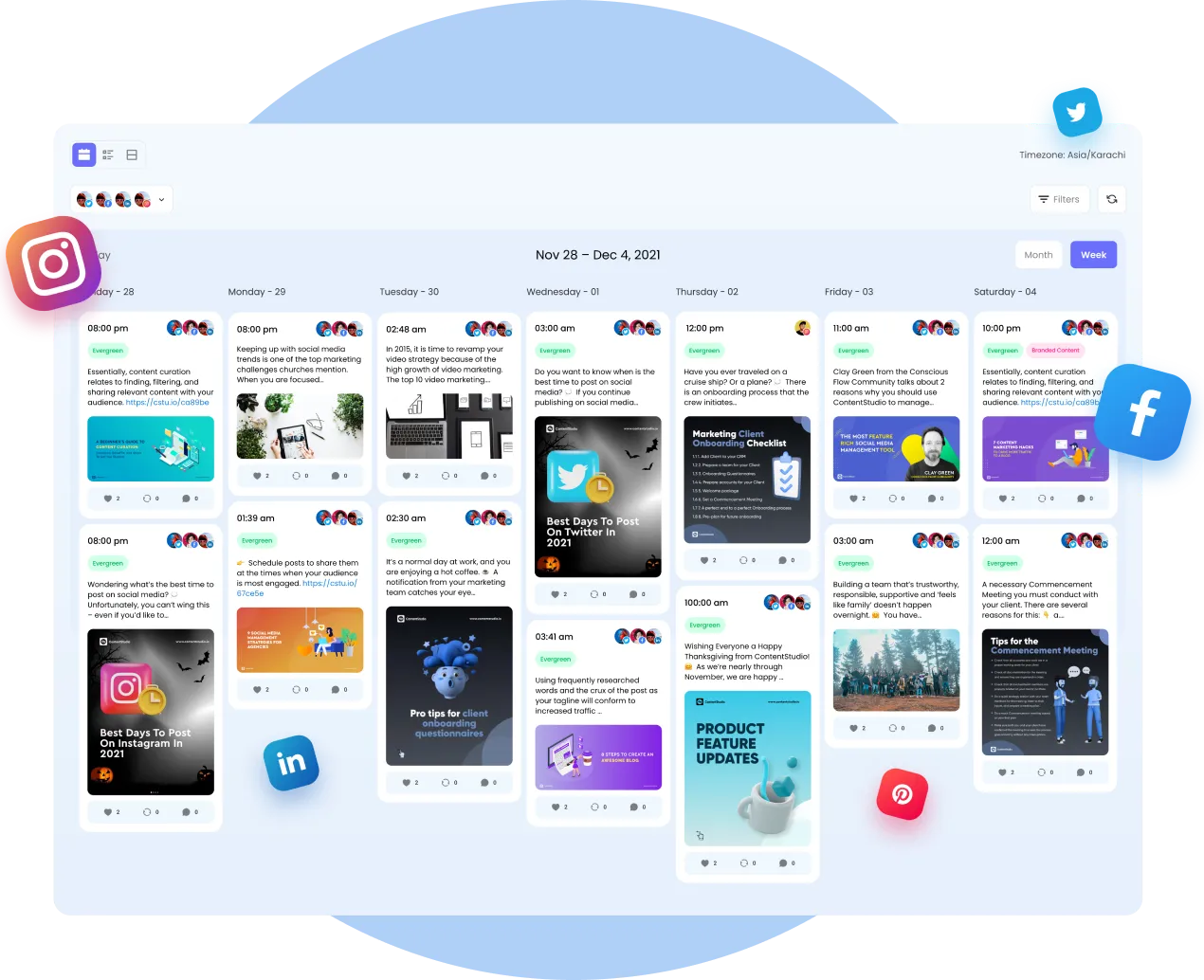
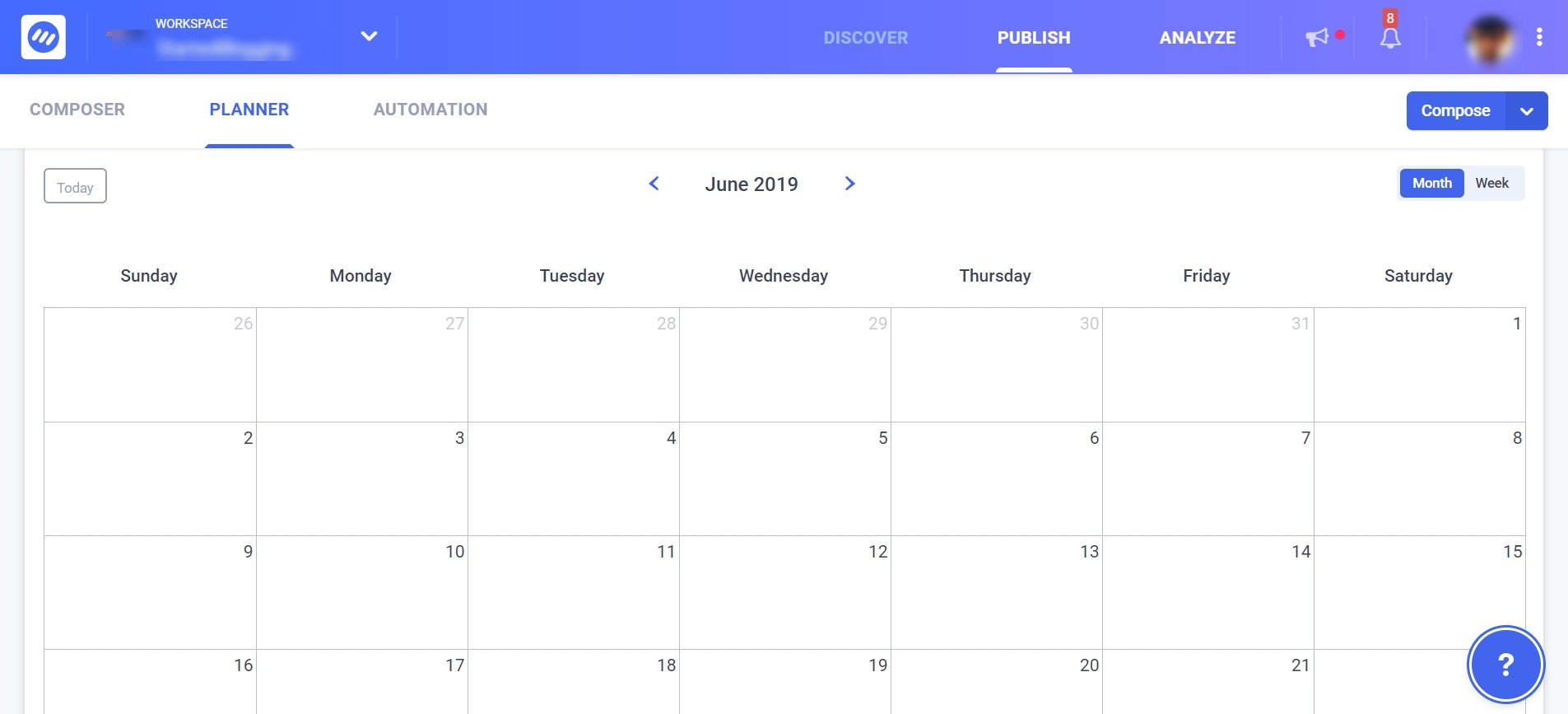
ContentStudio’s Planner: ContentStudio is a popular social media management tool that provides content automation, social media scheduling, and content planning. It allows you to look at the details that when and where the content is being shared or published; it happens in the Content Planner section of ContentStudio.
CoSchedule: CoSchedule is another popular tool for creating a content calendar for bloggers, digital marketers, and small businesses. It also helps you create, manage, and publish content under the same umbrella.

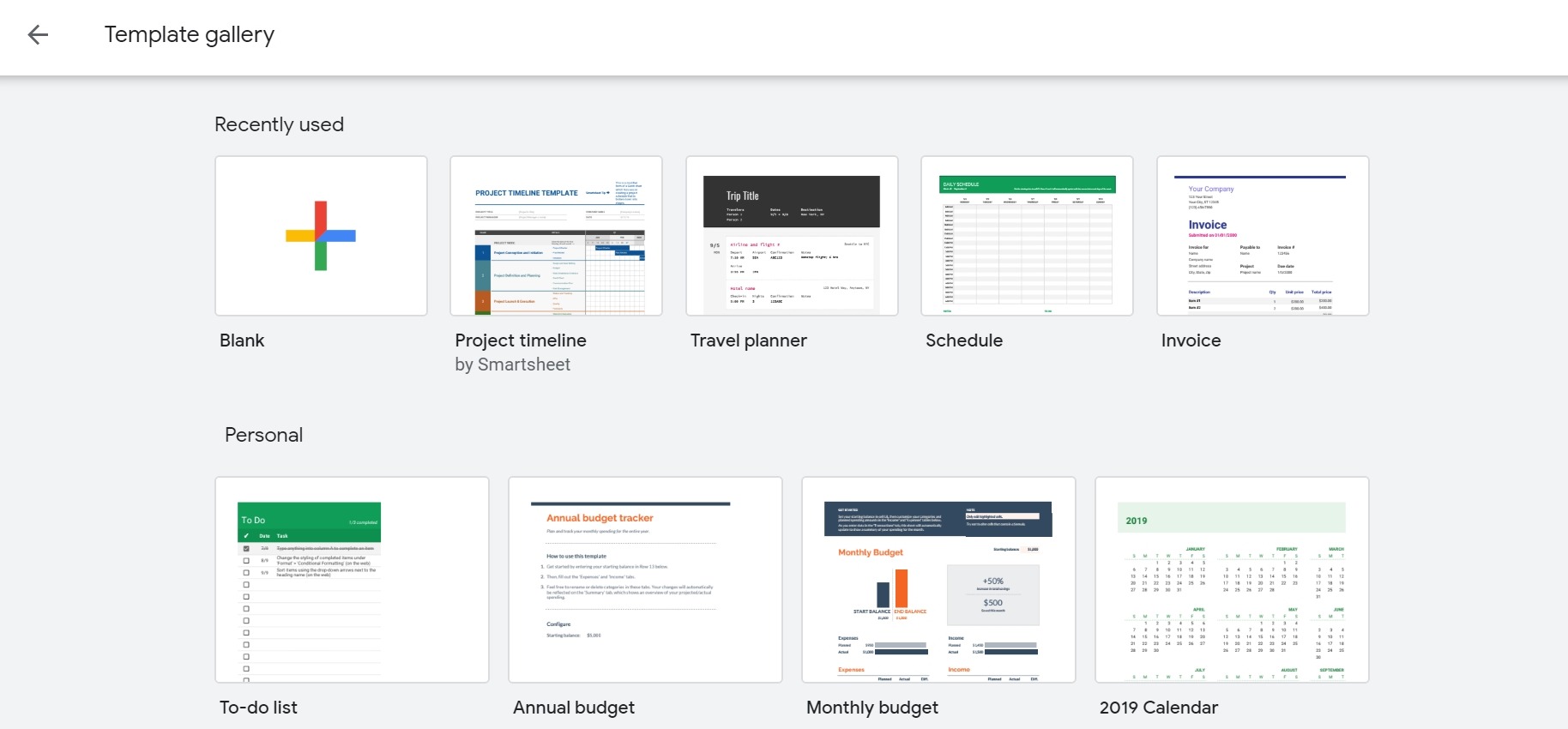
Google Sheets: Google Sheets is a rather simple tool as compared to the previous two, but it could give you different content templates to utilize. It’s one of the free tools that come with a Google/Gmail account. It does have a collaboration facility, which means, you can invite others via email address to contribute, edit, and manage your content in Google Sheets.
At this point, you’ve sorted out the communication and collaboration tools to keep the process seamless.
Feel free to choose different content planner and project management tools as per your requirements and affordability.
#3: Start Team Communication
Once you’ve set up the content plan and collaboration tools, the next thing you might want to do is to provide the access of tools to your team. The basic idea behind the tools access is to enable the communication between the team members so that they could talk to each other and clear the doubts. It’d also help them go through all the options and features of the collaboration tools.
Here are three main goals of team communication:
- Discuss Topics: When the communication begins, team members could discuss the topics they’re supposed to work on and take input from others. For instance, a content writer could ask the social media manager about the top five social media management tools to mention in an article.
- Share Ideas: One of the perks of building this communication bridge between different team members is that they could share ideas with each other. For example, a social media manager could give the input to the content writer on some specific topics to write articles on.
- Delegate Tasks: The most important part of this step is the delegation of tasks. The social media manager or the content manager could delegate tasks to everyone on the team. The team members could log in to their accounts and see the given tasks. Not only could they see the details provided, but they could also comment on the tasks to seek more clarification.
Hence, it’s an effective way of sharing ideas, eliminating the ambiguities, and improving the productivity of the team members.
This step, however, represents the introductory access to the collaboration tools right before getting started with the work, but it still matters. Once everyone is clear about the features, tasks, and accessibility of the tool, they’re on the brink of starting the creation of the content calendar.
#4: Initiate the Workflow
At step four, the team members get to work and start executing the tasks that they have been given. The instructions are provided in the project management system, which everyone on the team is bound to follow.
Every content calendar tool has its unique features that operate differently from others. Some have WordPress plugins that get installed in your WordPress and allow you to manage your content calendar through your WordPress dashboard. On the other hand, some have limited features, which means, they don’t provide a WordPress plugin. Instead, they have a web interface and mobile apps to manage the content calendar.
Remember that a content calendar is more of an overview tool that gives you content insights. Not only does it provide you information on when a piece of content is being published, but it also showcases the response it gets on social media.
One of the benefits of building a content calendar is that it provides a reporting system to the company about the content workflow, which means, you can learn about:
- The blog posts that are scheduled for publishing
- The blog posts have already been published
- When a specific blog post would go live on the blog
- Where a blog post would be shared on social media
- The URL that would be used to access the blog post
- The number of times a blog post has been shared on social media
Once the workflow begins, it starts to pour data into the content calendar because content writers are writing the articles, graphics designers are providing the images, content managers and social media manager are publishing and scheduling the content.
So within a couple of days, your content calendar would start to fill up with all the data, which would guide the company on content publishing and social media posting.
The ultimate goal of a content calendar is to look at the progress that team members are making in the:
- Content Creation
- Content curation
- Content Publishing
- Content Scheduling
- Social Media Sharing
So with the passage of time, the team members have a lot of content to process, for instance, the content manager might have to publish a few articles, social media manager may need to schedule social media posts, and graphics designers might have to design the social media images.
Once the workflow begins, the progress would start to show up, but it certainly requires patience. If you’re new to building a content calendar, it could be overwhelming in the beginning, but read the next step; it’ll help you along the way.
#5: Optimizing the System
Building a content calendar doesn’t mean the job is done. Once you’ve built it, and you’ve scheduled some content for the next four weeks — it may sound like it’s over, but in reality, there is one step that is crucial to getting better results from your content calendar. It’s the optimization of your content calendar by analyzing the performance of your content on different levels.
Give your content calendar a good four to six weeks before you start to make any changes in your content planning or social media posting. It’s essential to understand that optimization doesn’t mean that there is something wrong with your content calendar. It’s just a final step of the process to ensure the best possible outcome from the content calendar.
However, there are many signals that will determine how you can improve your content calendar strategies, for example:
Number of Comments
You can simply go through your content management system and check out the comments ratio before and after building the content calendar. Your comments on the content would significantly improve over time, but it may not seem to happen within a couple of weeks.
Number of Shares/Retweets
You’d notice that when your content is being published and scheduled on social media more often, chances are, you’d get more shares on social media, let alone your followers would increase.
Total Engagements on Social Media
Engagements on social media mean all the likes, comments, and DMs as the result of content publishing. Once you’re publishing and sharing content on a regular basis, thanks to the content calendar, you’re likely to increase your engagement on social media.
So optimizing the system refers to improving the content calendar strategy. It means from content topics to frequency of sharing on social media — each and every step needs a microscopic analysis to make it better. It seems perfectly clear that the optimization of the system would help us achieve great results.
Wrapping Up
The whole point of this article is to share the importance of content organization. The more you organize your content, the quicker you reap the benefits. However, this article also teaches that you need a team of different professionals such as social media experts, graphics designers, and content writers to pull this off.
Content Calendar is a widely used content management strategy that bloggers, digital marketers, and entrepreneurs use in digital marketing. It’ll be an understatement that you don’t need a content calendar just because you publish less content. It doesn’t matter whether you publish two articles a month or two hundred articles a month; it’s about the content management and making the most out of it.
Building a content calendar surely gives you an idea of what’s happening with your content publishing, scheduling, and sharing. Moreover, it speeds up the process of content creation due to the collaboration of different individuals on the team.
What else would you like to add something about content calendars?

Hassaan Khan
Hassaan is a blogger and freelance writer. He has published articles on SEMrush, ThriveGlobal, BlogPress, FreelancerMap, and many other popular publications. He writes about freelancing techniques, tips, and career growth. Subscribe to his blog.